Wix Connector
The Wix connector pulls data from Wix Studio sites using the Wix REST APIs and feeds it into the EZY Integrations pipeline as a source. Because Wix supports far more than a typical online store, this connector covers eight distinct entity types — including appointment bookings, recurring subscriptions, bookable services, pricing plans, and restaurant menu items — in addition to standard contacts, orders, and products.
When to use this connector
Section titled “When to use this connector”- Sync Wix contacts to EZY Portal or SAP Business One as customers or business partners.
- Push Wix store orders into an ERP for fulfilment or invoicing.
- Extract Wix Bookings appointments for reporting or CRM enrichment.
- Pull pricing plan subscriptions to track recurring revenue in a downstream system.
- Export Wix Restaurants menu items to a flat file or generic API target.
- Replicate bookable services and pricing plans to EZY Portal for catalog management.
- Feed Wix product data into a central catalog or inventory system.
Supported entity types
Section titled “Supported entity types”| Entity type | Friendly name | Direction | Description |
|---|---|---|---|
customer | Customer | Source | A contact record from the Wix Contacts app. Maps to the customer canonical entity. |
order | Order | Source | An e-commerce order placed in the Wix store. |
booking | Booking | Source | An appointment or session booked through Wix Bookings. |
subscription | Subscription | Source | A recurring pricing plan subscription (Wix Pricing Plans). Always performs a full scan — incremental sync is not supported for this type. |
product | Product | Source | A product listing from the Wix Stores catalog, including variants and pricing. |
service | Service | Source | A bookable service offering defined in Wix Bookings. |
plan | Plan | Source | A pricing plan defined in Wix Pricing Plans. |
menuitem | Menu Item | Source | A restaurant menu item defined in Wix Restaurants. |
Incremental sync is supported for all entity types except subscription. For supported types, the connector filters on the last-updated timestamp so only changed records are extracted after the first run.
Prerequisites
Section titled “Prerequisites”Before creating a connection profile for the Wix connector, you need two pieces of information from your Wix account:
- A Wix API key — generate this in the Wix dashboard under API Keys Manager. The key must have read permissions for the Wix APIs corresponding to the entity types you plan to extract (for example, Wix Stores, Wix Bookings, Wix Pricing Plans, Wix Restaurants).
- Your Wix site ID — the unique identifier of the Wix site you want to connect. You can find it in the Wix dashboard under Settings → General Info, or in the URL of your site’s dashboard page.
Connection profile fields
Section titled “Connection profile fields”When creating a Wix connection profile in EZY Integrations, fill in the following fields:
| Field | Required | Description | Example value |
|---|---|---|---|
| API Key | Yes | The Wix API key from your Wix API Keys Manager. Stored encrypted. | <YOUR_WIX_API_KEY> |
| Site ID | Yes | The unique identifier of your Wix site. | a1b2c3d4-e5f6-7890-abcd-ef1234567890 |
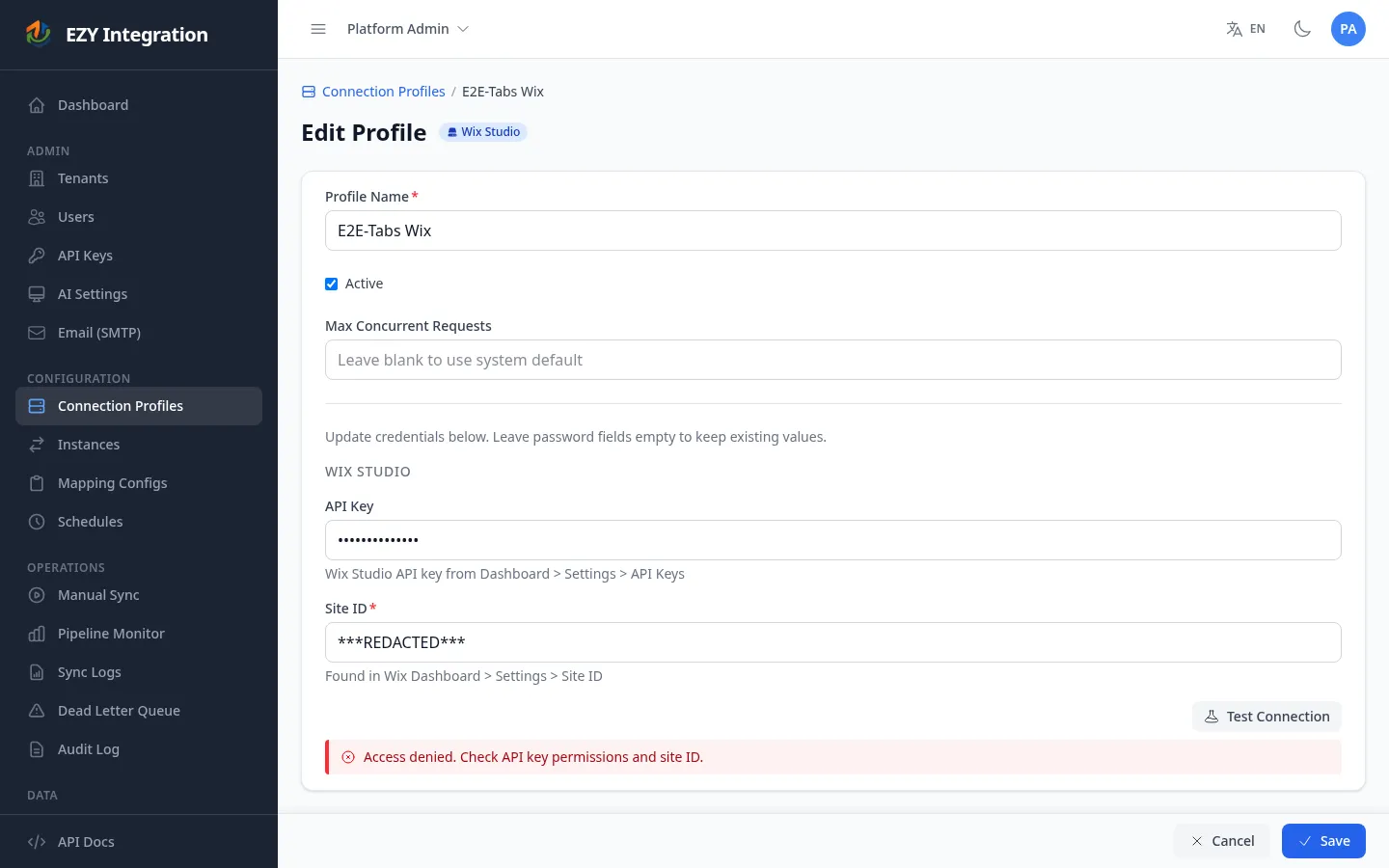
After entering both fields, use the Test Connection button to verify that the API key and site ID are valid. A successful test confirms that EZY Integrations can reach the Wix APIs using the supplied credentials.
Known limitations
Section titled “Known limitations”- Subscriptions always perform a full scan. The Wix Pricing Plans API does not expose a modification-date filter, so every sync run for the
subscriptionentity type fetches all records from offset zero. For sites with large subscription volumes, this increases sync duration. Plan sync schedules accordingly. - Draft subscriptions are excluded. Records with a status of
DRAFT(representing abandoned checkout sessions) are filtered out automatically. Only subscriptions with a status ofPENDINGor a last payment status ofUNPAIDorPENDINGare delivered downstream. - Bookings, services, plans, and menu items require Wix app installations. If the corresponding Wix app is not active on the site, the connector skips that entity type gracefully rather than failing the job. Check the job run details to confirm which entity types were extracted.
- Services use client-side incremental filtering. The Wix Bookings services API does not natively support date-range filters, so the connector fetches all services and applies the incremental filter locally. For sites with many services this is less efficient than server-side filtering.
- Rate limiting. The Wix API enforces request-rate limits. The connector includes a built-in rate limiter; if your sync jobs are large or run frequently, consider scheduling them during off-peak hours to avoid throttling.
- Source-only connector. The Wix connector extracts data from Wix — it does not write back to Wix. To send processed data to Wix, a custom Generic API target profile pointed at the Wix REST API would be required.
Related
Section titled “Related”- Entity Types — Full list of canonical entity types and the connectors that support them.
- Pipeline Stages — How extracted Wix records move through the Ingest, Normalize, Transform, Execute, and Finalize stages.
- Connection Profiles — How to create, edit, and test connection profiles.
- Connectors Overview — All supported connectors at a glance.