Settings
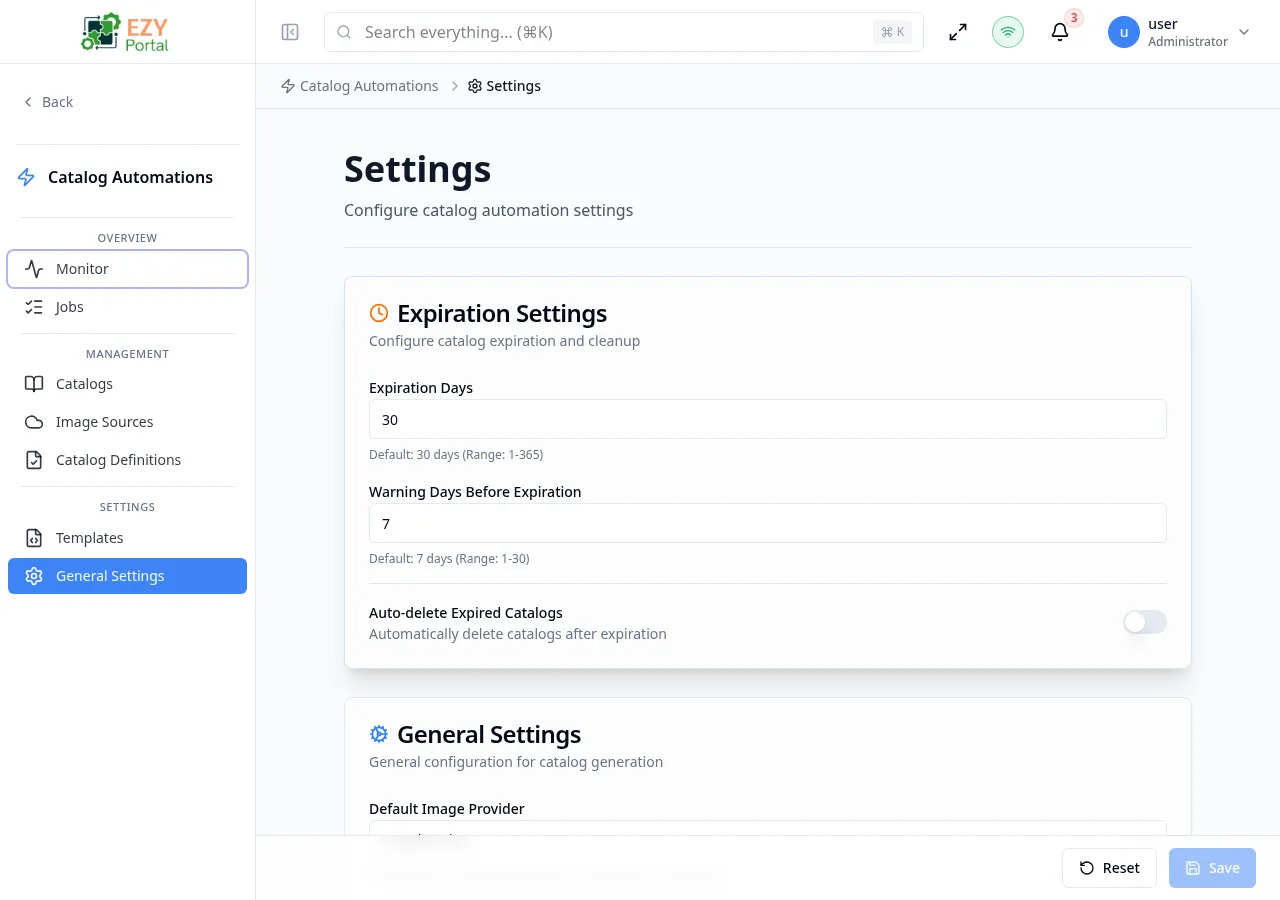
The Settings page controls tenant-wide behavior for the Catalog Automation module. Changes here affect all catalog generation jobs, definitions, and output catalogs across the tenant.
Accessing the Page
Section titled “Accessing the Page”- Route:
/catalog-automation/settings - Menu Path: Catalog Automation → Settings
- Primary audience: Tenant administrators.
What you can do here
Section titled “What you can do here”- Set how many days generated catalogs remain accessible before they expire.
- Configure how many days in advance users receive expiration warnings.
- Enable automatic deletion of catalogs once they pass their expiration date.
- Choose the default image provider used when a definition does not specify one.
- Limit the number of catalog jobs that can run simultaneously.
- Set the maximum allowed ZIP file size for catalog output packages.
Common tasks
Section titled “Common tasks”- Open the page from the sidebar under Catalog Automation → Settings.
- Update the values in the Expiration Settings and General Settings cards.
- Click Save in the page header.
- Confirm the success notification appears.
- Changes to Max Concurrent Jobs take effect immediately for new jobs; jobs already running are not affected.
- Changes to Max ZIP File Size apply to new jobs only. Jobs submitted before the change retain the previous limit.
- Changing Expiration Days does not retroactively update the expiration date of already-generated catalogs.
- The Auto-delete toggle permanently removes catalogs after expiration. Disable it if catalogs need to be retained for auditing.
- Warning Days must be less than Expiration Days; the form will show a validation error if they are equal or reversed.
Expiration Settings
Section titled “Expiration Settings”Controls how long generated catalogs are retained and when users are notified of upcoming expiration.
| Field | Required | Type | Description | Default | Validation |
|---|---|---|---|---|---|
| Expiration Days | Yes | Number | Number of days a generated catalog remains accessible after creation | 30 | Integer between 1 and 365 |
| Warning Days Before Expiration | Yes | Number | Days before expiration at which a warning is shown on the catalog | 7 | Integer between 1 and 30; must be less than Expiration Days |
| Auto-delete Expired Catalogs | — | Toggle | Automatically deletes catalogs once they pass their expiration date | Off | — |
General Settings
Section titled “General Settings”Controls throughput and output package size for all catalog generation jobs.
| Field | Required | Type | Description | Default | Validation |
|---|---|---|---|---|---|
| Default Image Provider | Yes | Select | Provider used when a definition does not specify a specific image source | Google Drive | Must select a provider |
| Max Concurrent Jobs | Yes | Number | Maximum number of catalog jobs that can process in parallel | 5 | Integer between 1 and 20 |
| Max ZIP File Size | Yes | Number + unit | Maximum size of the output ZIP archive; jobs that produce a larger ZIP will fail | 500 MB | Must be a positive number; unit is MB or GB |
Related Pages
Section titled “Related Pages”- Image Sources — Configure cloud storage providers used for image retrieval
- Definitions — Per-definition expiration day overrides take precedence over the tenant default
- Templates — Manage catalog HTML layout templates