Notifications
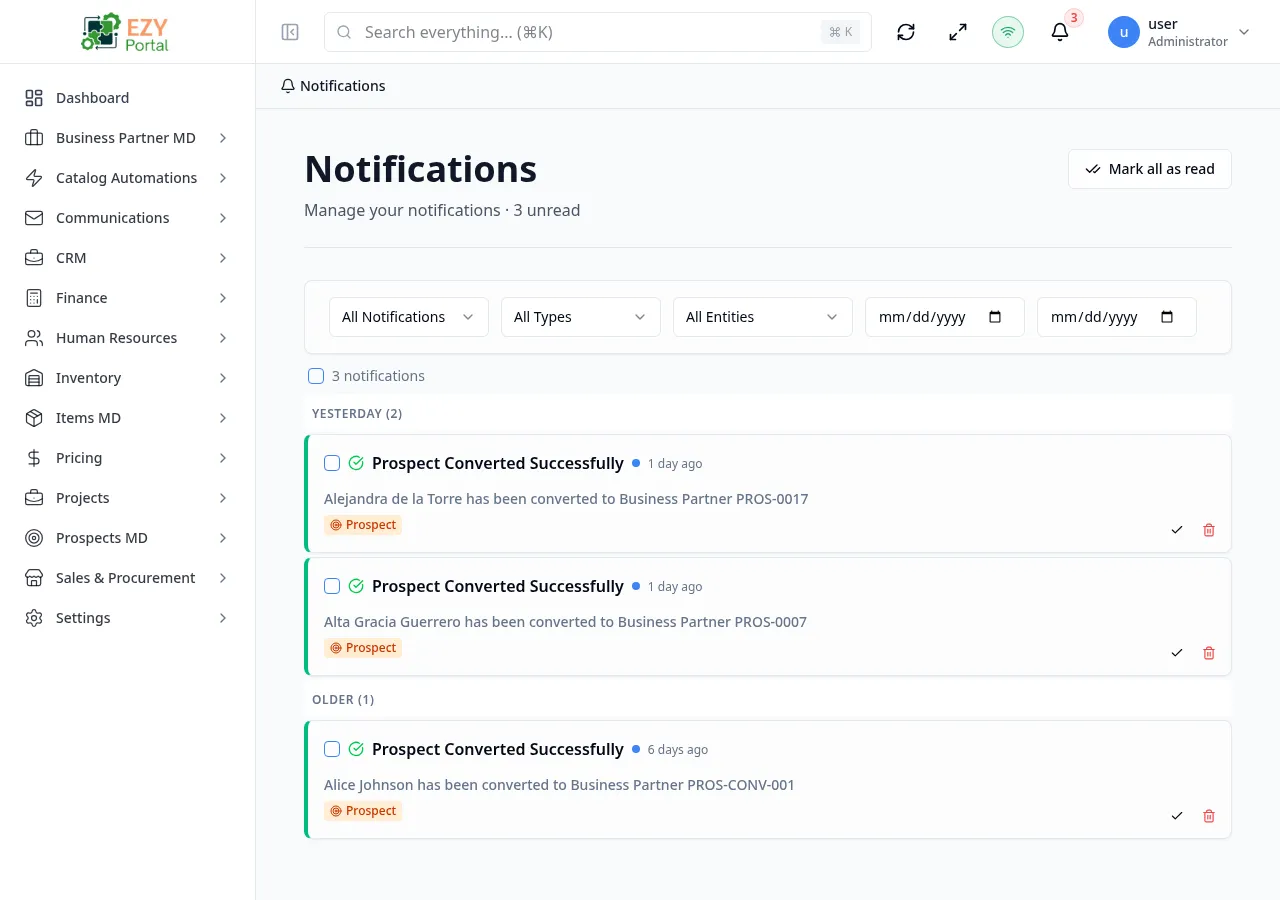
Review notification history, filter messages, mark items as read, and remove notifications.
Accessing the Page
Section titled “Accessing the Page”-
Route:
/notifications -
Menu Path: Top bar bell - View all notifications
-
Access: Authenticated users.
Page behavior
Section titled “Page behavior”- Lists notifications with load-more pagination sorted by creation date descending.
- Synchronizes with the notification dropdown through shared store updates.
- Shows unread count in the page description when unread items exist.
What you can do here
Section titled “What you can do here”- Filter by status: all, unread, or read.
- Filter by notification type, entity type, and date range.
- Mark one notification as read or mark all notifications as read.
- Select multiple notifications for bulk mark-as-read or bulk delete.
- Delete a notification after confirmation.
Notes and edge cases
Section titled “Notes and edge cases”- Entity type options are loaded from the notification service.
- Mutations refresh both the full page and the top-bar unread count.
Related pages
Section titled “Related pages”Common tasks
Section titled “Common tasks”- Open the route from the portal menu or direct URL.
- Confirm your role grants access before changing administrative settings.
- Apply filters or open the relevant dialog/record.
- Save changes and verify the updated state in the list, detail, or preview area.