Regions
Manage regions used to organize business partners geographically and control scope-based access.
Accessing the Page
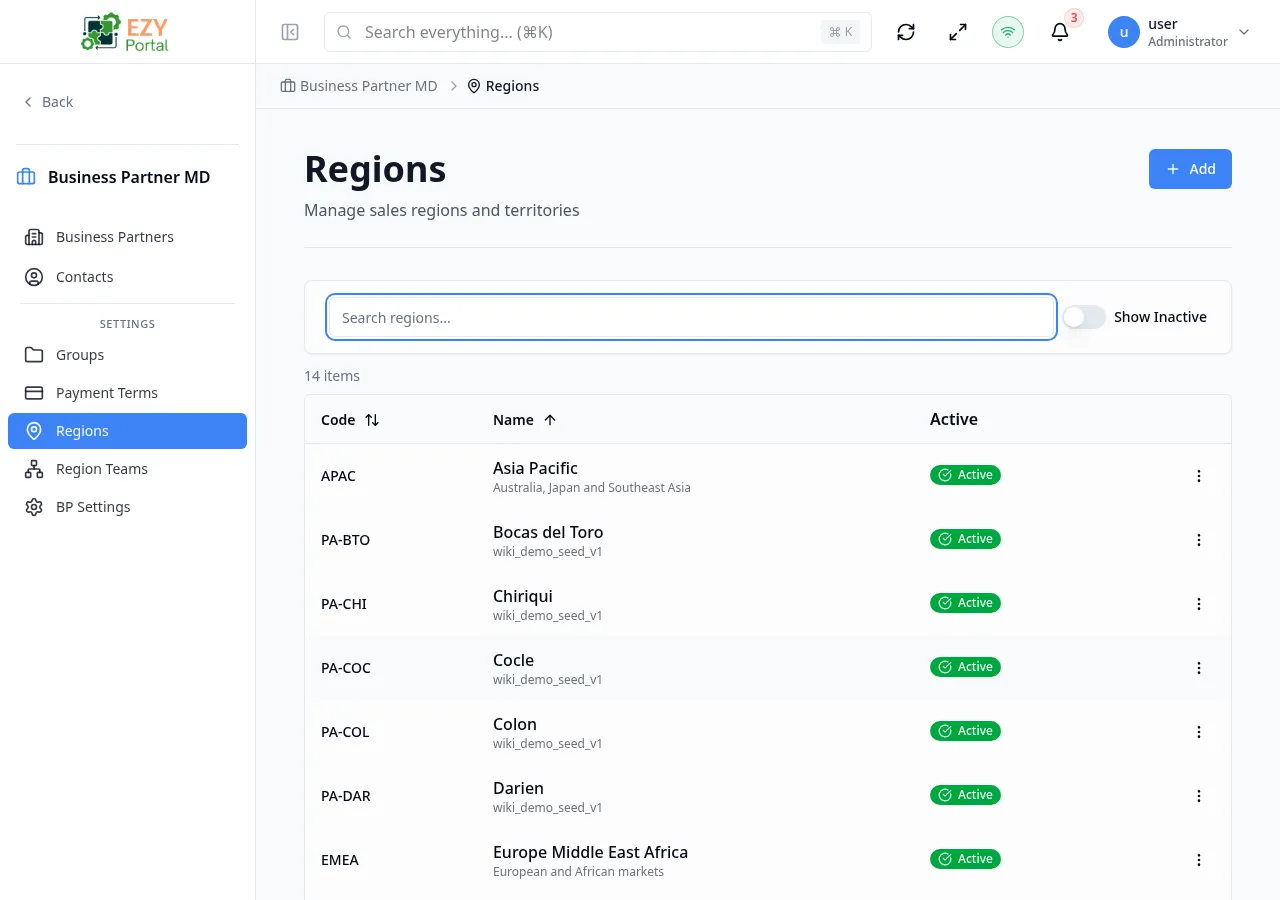
Section titled “Accessing the Page”Navigate to Business Partners → Regions in the sidebar, or go to /business-partners/regions.
List Columns
Section titled “List Columns”| Column | Default Visible | Sortable | Description |
|---|---|---|---|
| Code | Yes | Yes | Unique region code |
| Name | Yes | Yes | Region display name. If a description exists, it is shown below the name in smaller text |
| Active | Yes | No | Status badge — Active or Inactive |
Filtering
Section titled “Filtering”| Filter | Type | Description |
|---|---|---|
| Search | Free text | Search by region code, name, or description |
| Status | Button group | All, Active, or Inactive |
Sorting
Section titled “Sorting”Click any sortable column header to sort:
- First click — Ascending (A→Z)
- Second click — Descending (Z→A)
- Third click — Remove sort
Default sort: Code ascending.
Pagination
Section titled “Pagination”The table displays all matching regions on a single page. There is no Load More or page-based pagination — all results matching the current search and filter are shown at once.
Actions
Section titled “Actions”Page Actions
Section titled “Page Actions”| Action | Description |
|---|---|
| Create Region | Opens the create dialog to add a new region |
Row Actions
Section titled “Row Actions”Each row has an action menu:
| Action | Permission | Description |
|---|---|---|
| Edit | canEditRegion | Opens the edit dialog for the region |
| Delete | canDeleteRegion | Remove the region after confirmation |
Creating a Region
Section titled “Creating a Region”- Click the Add button
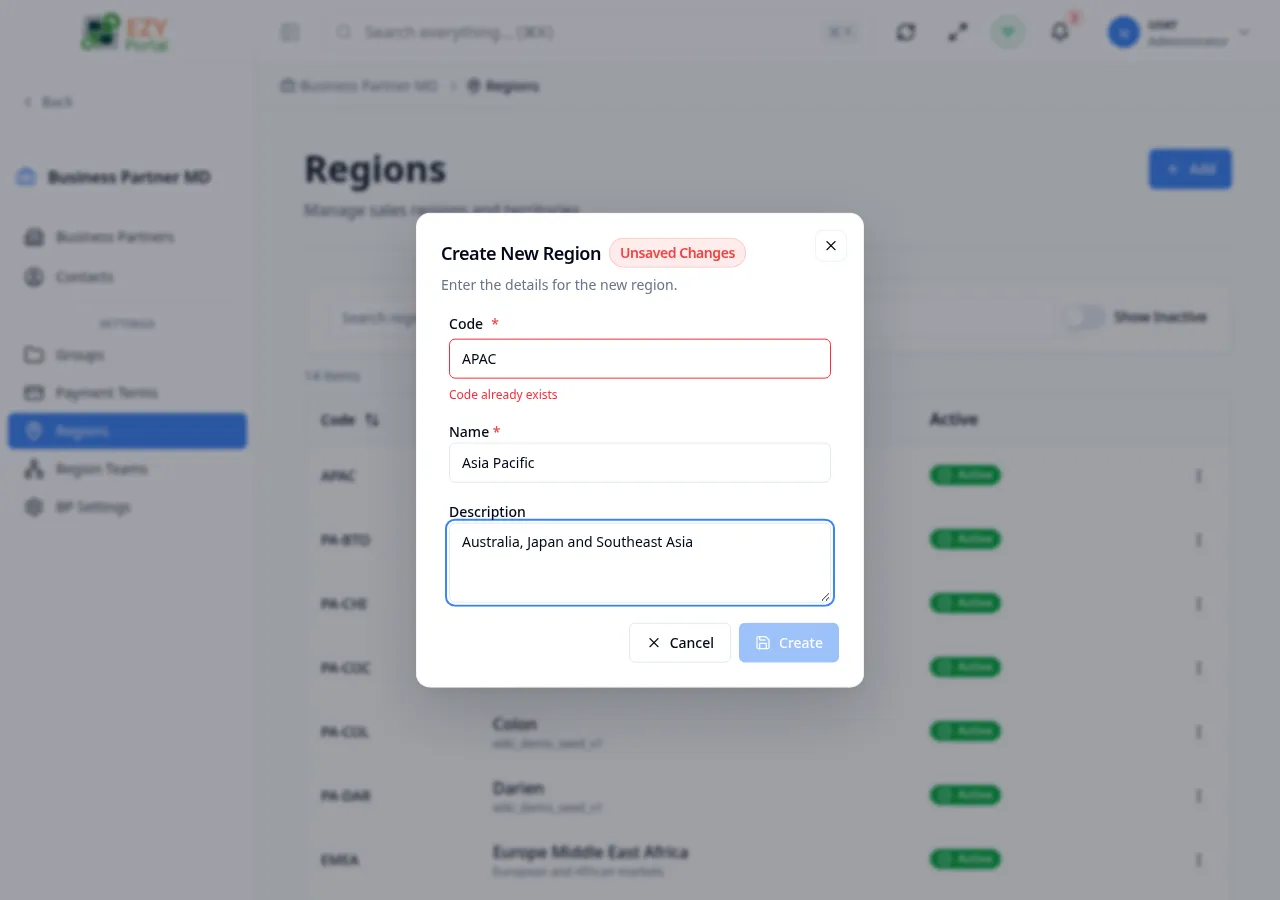
- Fill in the create dialog:
| Field | Required | Description |
|---|---|---|
| Code | Yes | Unique region code (max 50 characters). Auto-validated for uniqueness. |
| Name | Yes | Region display name (max 200 characters) |
| Description | No | Optional description (max 500 characters) |
- Click Create to save
The code field validates in real-time — a green indicator confirms availability, red indicates a duplicate.
Features
Section titled “Features”- Create, edit, and delete regions
- Assign business partners to regions
- Used by scope settings to control user access
- Search and filter regions by name, code, or description
Permissions & system behavior
Section titled “Permissions & system behavior”- Viewing this page requires access to the corresponding module.
- Create/edit/delete actions are visible only to users with matching permissions.
- After a successful action, the page updates list/detail data to reflect the change.
Related Pages
Section titled “Related Pages”- BP Settings — Configure scope access control
- Teams — Manage teams with region assignments
- Scope Settings — Region-based access control configuration