Scope Settings
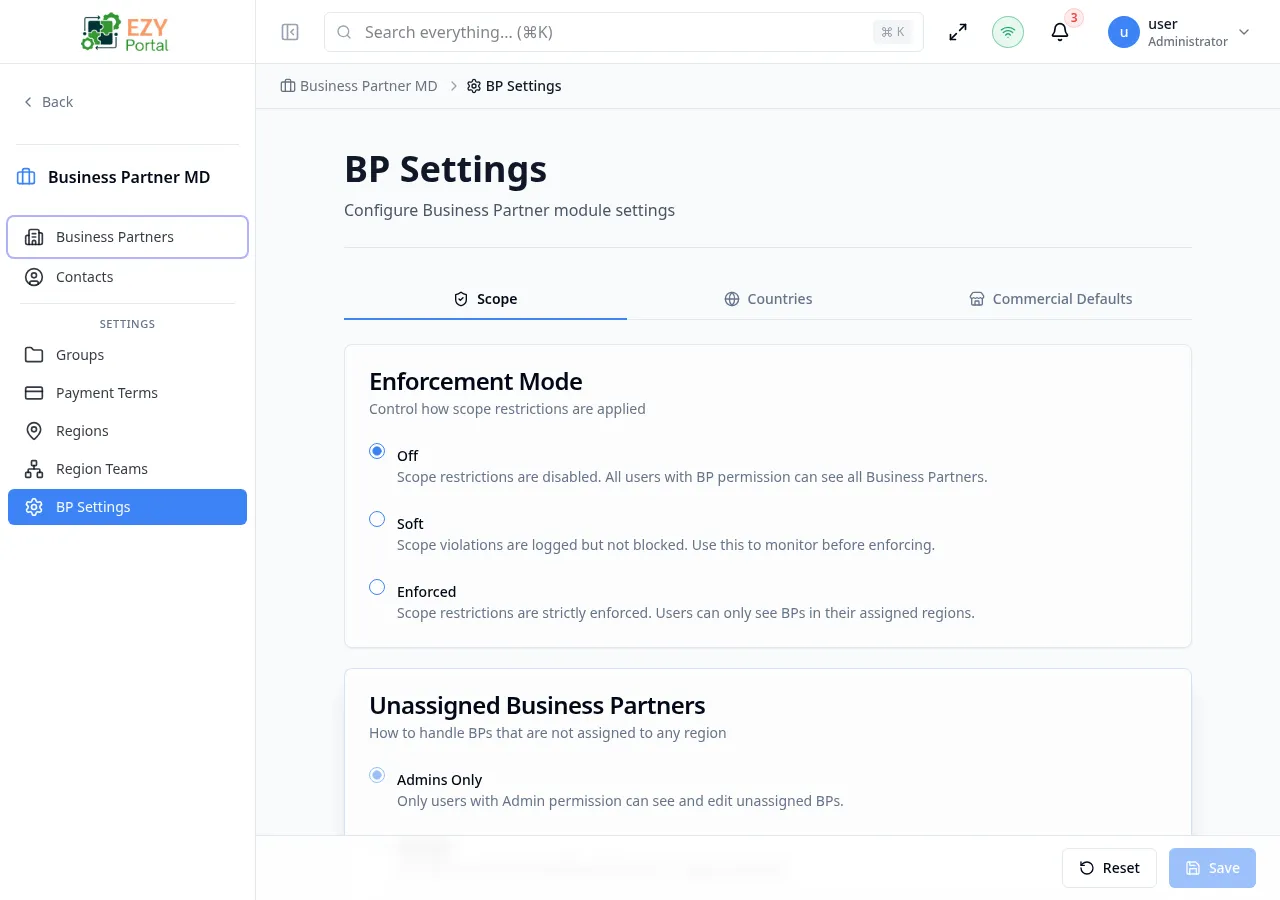
The Scope tab controls access restrictions for business partners. When enabled, users can only see and edit BPs that belong to their assigned regions.
Accessing the Page
Section titled “Accessing the Page”Open this page from the Portal sidebar under its module section.
What you can do here
Section titled “What you can do here”- Switch the enforcement mode between Off, Soft (monitor only), and Enforced (strict restriction).
- Control whether unassigned business partners are visible to all users or only to administrators.
- Enable the admin bypass so that users with the Admin permission can always see all business partners regardless of region.
- Grant team leaders the ability to edit business partners in regions covered by their child teams.
- Use the phased rollout approach: configure regions in Soft mode, verify logs, then switch to Enforced.
Card 1: Enforcement Mode
Section titled “Card 1: Enforcement Mode”Controls how scope restrictions are applied.
| Option | Label | Behavior |
|---|---|---|
| Off | Off | Scope restrictions are disabled. All users with BP permission can see all Business Partners. |
| Soft | Soft | Scope violations are logged but not blocked. Use this to monitor before enforcing. |
| Enforced | Enforced | Scope restrictions are strictly enforced. Users can only see BPs in their assigned regions. |
When Enforced is selected, a warning banner appears: “Enabling enforced mode will immediately restrict access. Make sure teams and region assignments are properly configured.”
Card 2: Unassigned Business Partners
Section titled “Card 2: Unassigned Business Partners”Controls how BPs that are not assigned to any region are handled.
| Option | Label | Behavior |
|---|---|---|
| Admins Only | admin_only | Only users with Admin permission can see and edit unassigned BPs. |
| All Users | all_users | All users can see and edit BPs that have no region assigned. |
- This setting is disabled when scope mode is Off
- When scope mode is Off, an info banner shows: “This setting has no effect when scope mode is ‘Off’.”
Card 3: Admin Override
Section titled “Card 3: Admin Override”| Field | Type | Description |
|---|---|---|
| Enable Admin Bypass | Switch (toggle) | When enabled, users with Admin permission can see all BPs regardless of scope |
- Help text: “Users with Admin permission can see all BPs regardless of scope”
- This setting is disabled when scope mode is Off
Card 4: Leader Permissions
Section titled “Card 4: Leader Permissions”| Field | Type | Description |
|---|---|---|
| Leaders Can Edit Child Team Regions | Switch (toggle) | When enabled, team leaders can edit BPs in regions covered by their child teams |
- Help text: “Team leaders can edit BPs in regions covered by their child teams”
- This setting is disabled when scope mode is Off
How Scope Works
Section titled “How Scope Works”graph TD
A[User logs in] --> B{Scope Mode?}
B -->|Off| C[See all BPs]
B -->|Soft| D[See all BPs + log violations]
B -->|Enforced| E{Admin Bypass?}
E -->|Yes + Admin| C
E -->|No| F{BP has region?}
F -->|No region| G{Unassigned Access?}
G -->|Admins Only| H[Admin sees it]
G -->|All Users| C
F -->|Has region| I{User's team covers region?}
I -->|Yes| J[Can see and edit]
I -->|No| K[Cannot see BP]
Best Practice: Phased Rollout
Section titled “Best Practice: Phased Rollout”- Configure — Create regions, assign BPs to regions, create teams and assign teams to regions
- Monitor — Enable Soft mode and watch the violation logs
- Enforce — Switch to Enforced after confirming assignments are correct
Messages
Section titled “Messages”| Event | Message |
|---|---|
| Save success | ”Settings saved successfully” |
| Save error | ”Failed to save settings” |
| Load error | ”Failed to load settings” |
Audit and Monitoring Notes
Section titled “Audit and Monitoring Notes”- In Soft mode, out-of-scope access attempts are allowed but tracked for audit review.
- In Enforced mode, out-of-scope operations are blocked and still logged.
- Use audit-focused monitoring pages under Data & Monitoring to review scope-related behavior over time.
Related Pages
Section titled “Related Pages”- BP Settings — Back to settings overview
- Teams — Manage teams and region assignments
- Regions — Manage regions