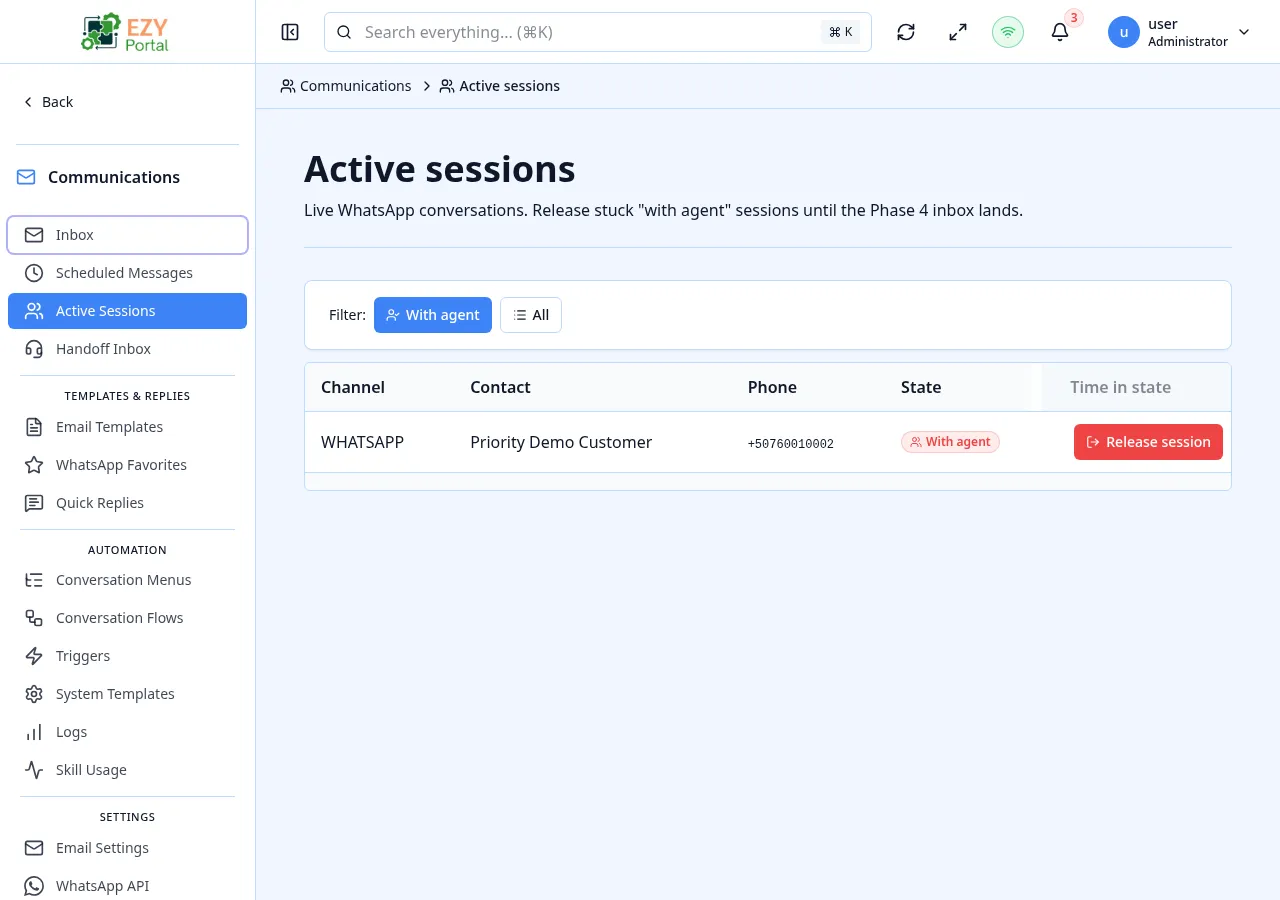
The Active Sessions page is an administrator view of every conversation session that has not yet reached a terminal state. Unlike the Handoff Inbox, which is scoped to sessions waiting for an agent, this page shows every session the dispatcher is tracking — including ones that are still awaiting a contact reply, currently invoking a skill, or sitting with a specific agent. Stuck sessions can be released back to the dispatcher from here.
- Route:
/communications/sessions/active
- Menu Path: Communications → Active Sessions
- Primary audience: Tenant administrators investigating stuck or long-running conversations.
| Permission | Description |
|---|
communications.access (Admin) | Required to view the page and release stuck sessions |
| Column | Default Visible | Description |
|---|
| Phone / Contact | Yes | Phone number of the contact and the matched Business Partner if any |
| Channel | Yes | WhatsApp or email |
| State | Yes | Current session state with a coloured badge |
| Started At | Yes | When the session was opened |
| Duration | Yes | Elapsed time since the session opened |
| State | Badge | Description |
|---|
| OPEN | Green | A session has been created but no message has been processed yet. |
| ACTIVE | Green | The session is processing messages normally. |
| AWAITING_USER | Amber | The dispatcher is waiting for the contact to reply (for example, mid-flow prompt). |
| PROCESSING | Blue | The dispatcher is currently invoking a skill on the contact’s behalf. |
| WITH_AGENT | Red | The conversation has been handed off to a human agent and is in the Handoff Inbox. |
Terminal states (RESOLVED, EXPIRED) never appear here — they are visible on Conversation Logs.
| Chip | Description |
|---|
| WITH_AGENT | Default view — sessions currently sitting with an agent |
| All | Every non-terminal session regardless of state |
| Action | Description | Availability |
|---|
| Release | Returns the session to the dispatcher and clears the agent assignment | Only on rows in state WITH_AGENT |
Selecting Release opens a confirmation dialog with an optional notes field. The notes are stored on the session audit trail so the next agent (or auditor) can see why it was released.
- Releasing a session is intended for stuck conversations — for example, an agent who went offline without resolving the session. The released session goes back into the Handoff Inbox as Unassigned.
- The Started At column reflects the original session start, not the time the session entered its current state. Use Conversation Logs for per-state timestamps and the full audit timeline.
- Duration is computed client-side and refreshed on page load.
- Open Communications → Active Sessions.
- Filter by WITH_AGENT and sort by Duration to find the oldest stuck sessions.
- Click Release on a row and add a note explaining why (for example, “agent off-shift”).
- Confirm — the session reappears in the Handoff Inbox as Unassigned.
- Handoff Inbox — agent view of
WITH_AGENT sessions waiting for reply
- Conversation Logs — historical view including terminal states and the full audit trail
- Conversation Menus — configure the menus contacts navigate before reaching a session state