Branding
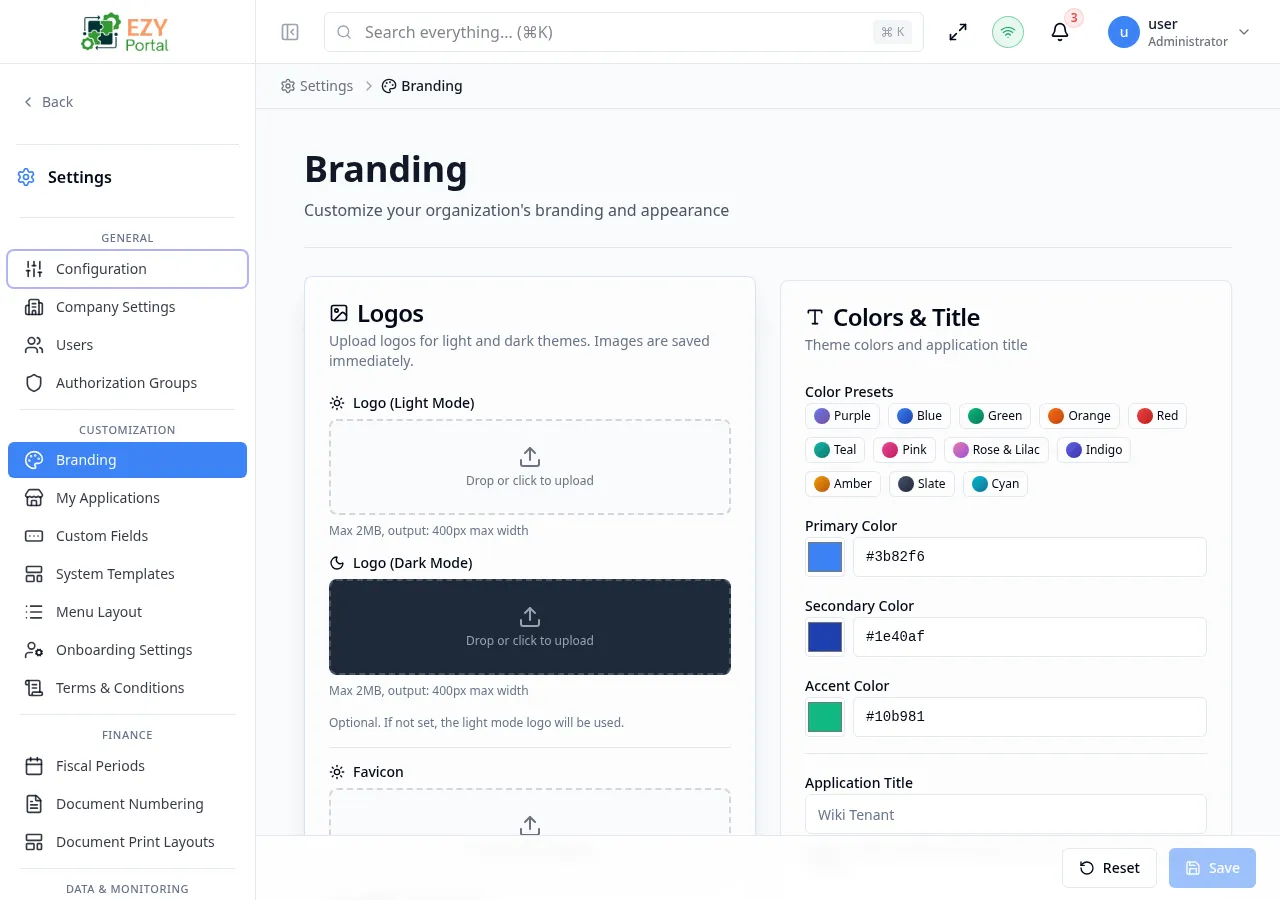
Branding is the self-service page for tenant visual identity. It lets administrators upload brand images, set the application title, choose palette values, tune status colors, and preview how the portal will look before saving.
Accessing the Page
Section titled “Accessing the Page”- Route:
/branding - Menu Path: Settings → Customization → Branding
- Primary audience: Tenant administrators and other users with the required admin role.
What you can do here
Section titled “What you can do here”- Upload or remove the primary logo, dark-mode logo, and favicon.
- Set the portal application title displayed to users.
- Choose primary, secondary, and accent colors.
- Configure destructive, success, warning, info, and muted status colors.
- Preview branding changes before saving.
Common tasks
Section titled “Common tasks”- Open Settings → Customization → Branding.
- Upload logo and favicon assets where required.
- Enter the application title and choose color values or presets.
- Review the preview section to confirm contrast and visual fit.
- Save changes, then reload the portal if users do not immediately see the updated branding.
- Use high-contrast colors so buttons, alerts, and active navigation remain readable.