Commercial Defaults
The Commercial Defaults tab configures fallback payment terms that are automatically applied to new documents.
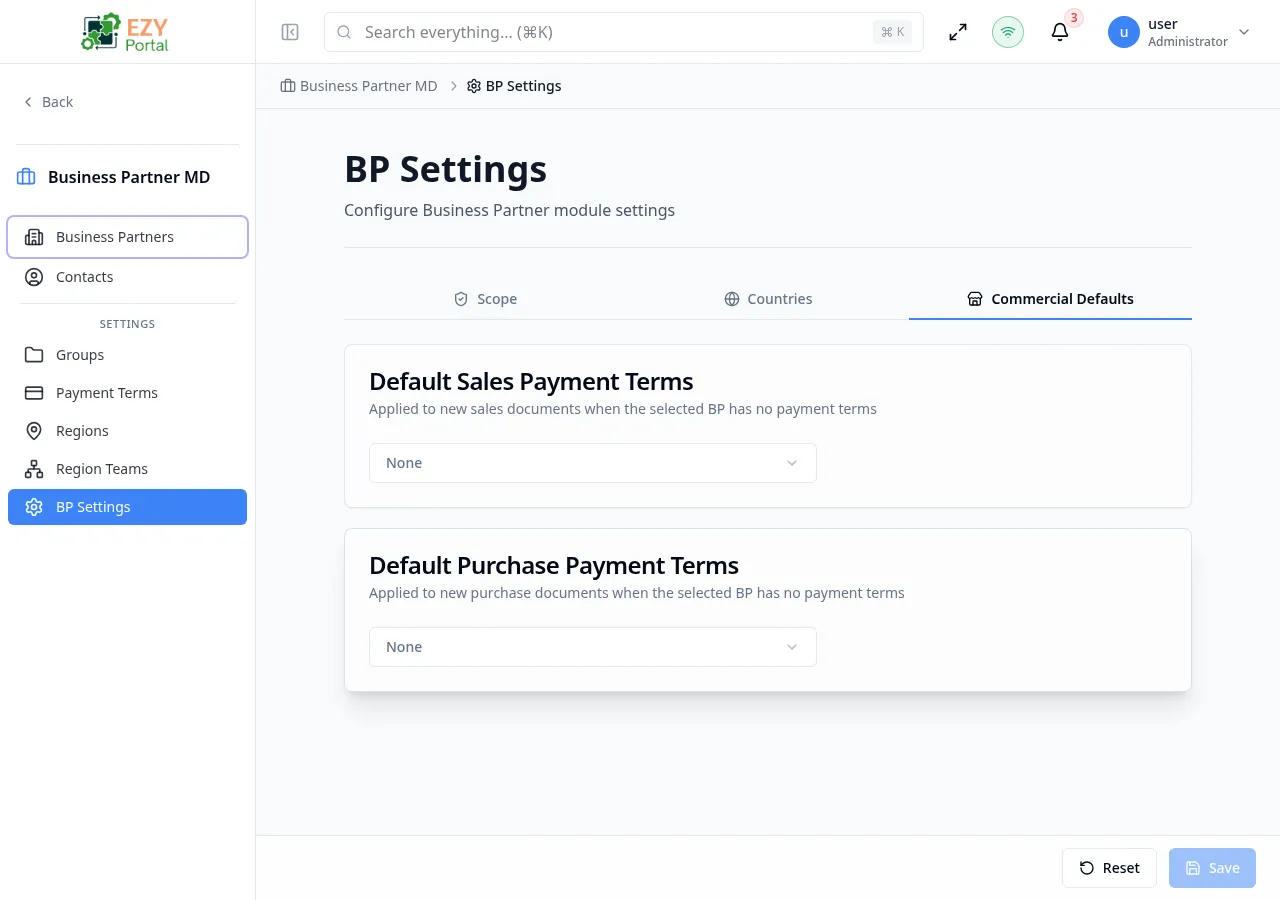
Accessing the Page
Section titled “Accessing the Page”Open this page from the Portal sidebar under its module section.
What you can do here
Section titled “What you can do here”- Set a fallback payment terms value that is automatically applied to new sales documents when the business partner has no payment terms configured.
- Set a fallback payment terms value for new purchase documents under the same condition.
- Clear either default so no automatic terms are applied.
Card 1: Default Sales Payment Terms
Section titled “Card 1: Default Sales Payment Terms”Sets the default payment terms for sales documents (quotes, sales orders, invoices).
| Field | Type | Description |
|---|---|---|
| Default Sales Payment Terms | Payment Terms dropdown | Select the default terms for new sales documents |
| Placeholder | — | “None” |
| Clearable | — | Yes, can be cleared to remove the default |
- Hint: “Applied to new sales documents when the selected BP has no payment terms”
- Display: When set, shows as
"[code] - [name]"(e.g., “NET30 - Net 30 Days”) - Max width:
max-w-md
Card 2: Default Purchase Payment Terms
Section titled “Card 2: Default Purchase Payment Terms”Sets the default payment terms for purchase documents (purchase orders, purchase invoices).
| Field | Type | Description |
|---|---|---|
| Default Purchase Payment Terms | Payment Terms dropdown | Select the default terms for new purchase documents |
| Placeholder | — | “None” |
| Clearable | — | Yes, can be cleared to remove the default |
- Hint: “Applied to new purchase documents when the selected BP has no payment terms”
- Display: When set, shows as
"[code] - [name]"(e.g., “NET30 - Net 30 Days”) - Max width:
max-w-md
How It Works
Section titled “How It Works”When creating a new sales or purchase document, the system checks the business partner’s payment terms first:
- If the BP has its own payment terms → use those
- If the BP has no payment terms → use the commercial default from this settings page
- If no commercial default is set → no payment terms are applied
Messages
Section titled “Messages”| Event | Message |
|---|---|
| Update success | ”Commercial settings updated successfully” |
| Update error | ”Failed to update commercial settings” |
| Load error | ”Failed to load commercial settings” |
Permissions & system behavior
Section titled “Permissions & system behavior”- Viewing this page requires access to the corresponding module.
- Create/edit/delete actions are visible only to users with matching permissions.
- After a successful action, the page updates list/detail data to reflect the change.
Related Pages
Section titled “Related Pages”- BP Settings — Back to settings overview
- Payment Terms — Manage available payment terms