Profile
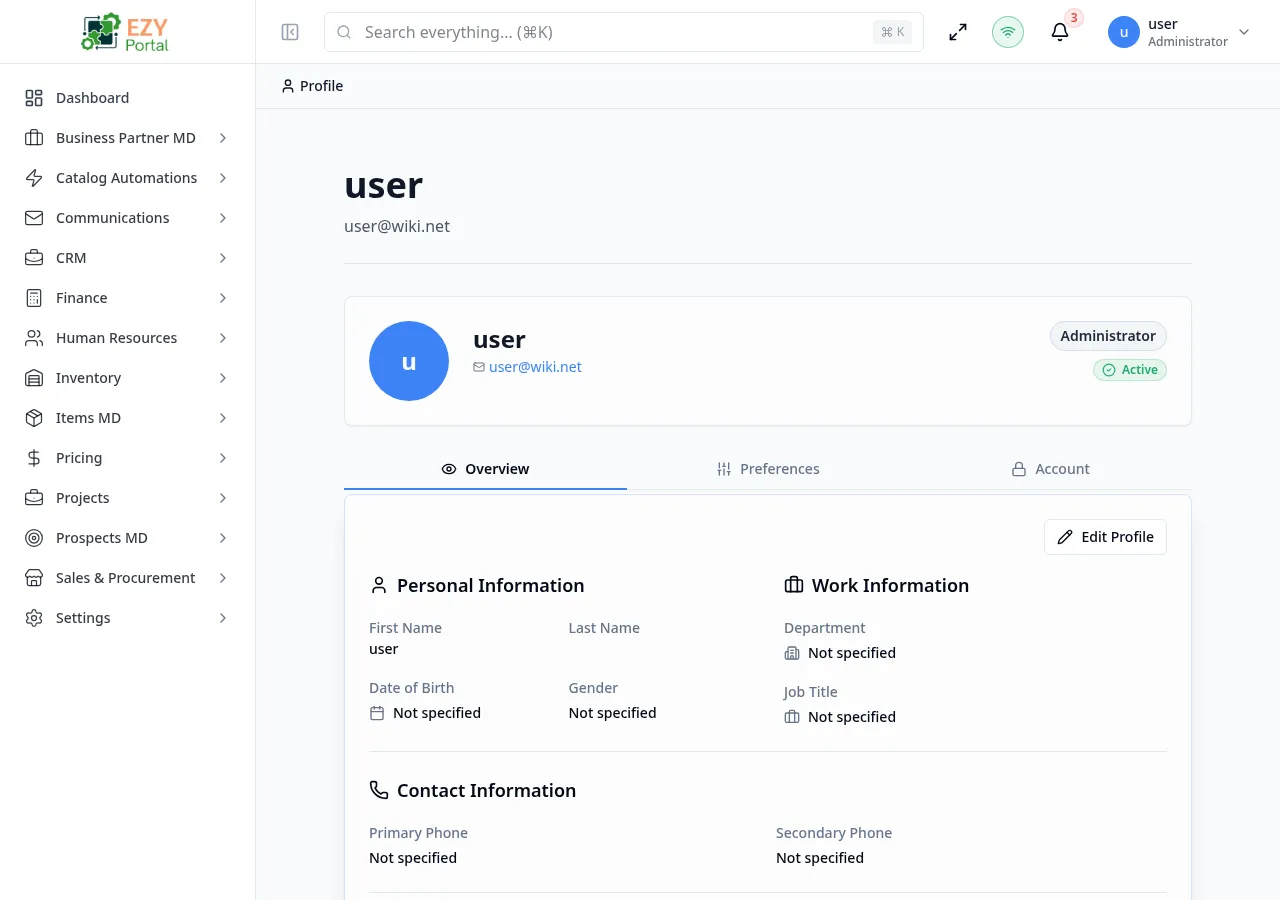
Manage your personal profile, preferences, localization settings, account security, password, and MFA.
Accessing the Page
Section titled “Accessing the Page”-
Route:
/profile, /profile#overview, /profile#preferences, /profile#account -
Menu Path: Profile menu - Profile
-
Access: Authenticated users.
Page behavior
Section titled “Page behavior”- Displays the signed-in user name and email in the page header.
- Uses hash-based tabs: Overview, Preferences, and Account.
- Supports direct links to account security flows, for example
/profile#account?mfa=true.
What you can do here
Section titled “What you can do here”- Review profile overview information.
- Update editable profile fields from the profile dialog.
- Set localization and privacy preferences.
- Change password when local login is enabled.
- Manage multi-factor authentication from the Account tab.
Notes and edge cases
Section titled “Notes and edge cases”- The page requires an active session and shows a login-required state if authentication context is missing.
- Some account actions depend on tenant authentication policy and whether local login is enabled.
Related pages
Section titled “Related pages”Common tasks
Section titled “Common tasks”- Open the route from the portal menu or direct URL.
- Confirm your role grants access before changing administrative settings.
- Apply filters or open the relevant dialog/record.
- Save changes and verify the updated state in the list, detail, or preview area.