Audit Log
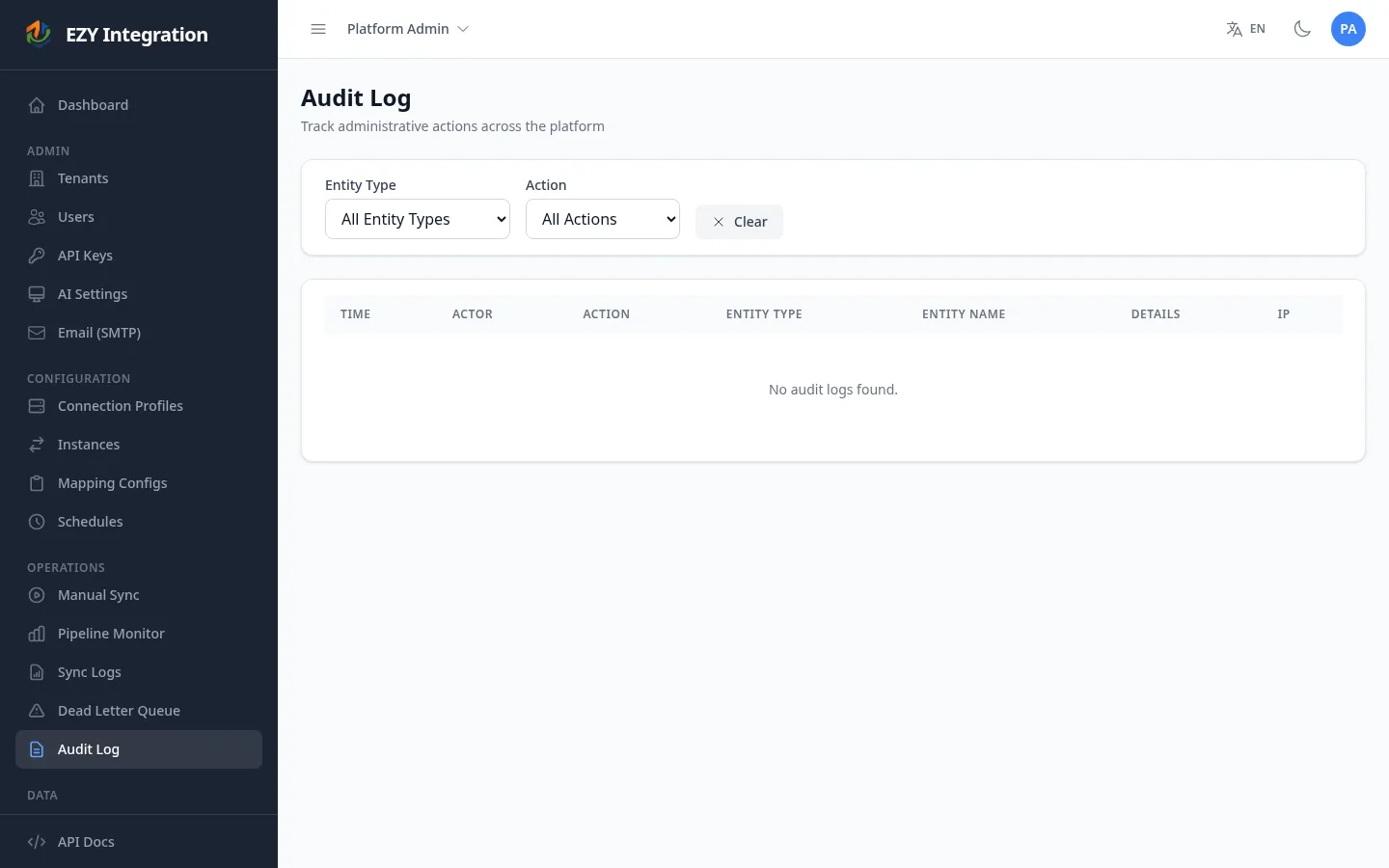
The Audit Log records administrative actions taken within EZY Integrations: creating, editing, deactivating, revoking, and deleting configuration objects such as connection profiles, mapping configs, API keys, and extraction cursors. Use it to answer questions like “who changed this mapping config and when?” or “which API key was used to trigger this run?” This is a security and operations record, not a tracing log — it does not show individual record-level sync results (those are in Sync Logs).
Accessing the page
Section titled “Accessing the page”In the left navigation, under the Admin section, select Audit Log.
Access to the Audit Log is restricted to users with an Administrator role. Users without the required role see an access-denied message.
What is logged
Section titled “What is logged”The following configuration object types are tracked:
| Entity type | Tracked actions |
|---|---|
| Tenant | Create, Update, Deactivate, ToggleActive |
| Connection Profile | Create, Update, Delete |
| Mapping Config | Create, Update, Delete |
| API Key | Create, Revoke, Delete |
| Extraction Cursor | Reset, Delete |
For each entry the log records the actor (user or API key), the action taken, the name of the affected object, a details summary, the IP address of the request, and the timestamp.
List columns
Section titled “List columns”| Column | Description |
|---|---|
| Time | Date and time the action occurred. |
| Actor | The user ID or API key name that performed the action. |
| Action | Type of action: Create, Update, Delete, Deactivate, Revoke, Reset, or ToggleActive. |
| Entity Type | The type of configuration object that was changed. |
| Entity Name | The display name of the specific object (for example, the profile name or config name). |
| Details | A short summary of what changed. |
| IP | The IP address from which the request originated. |
Filtering
Section titled “Filtering”Two dropdown filters are available at the top of the page:
| Filter | Options |
|---|---|
| Entity Type | All Entity Types, Tenant, ConnectionProfile, MappingConfig, ApiKey, ExtractionCursor |
| Action | All Actions, Create, Update, Delete, Deactivate, Revoke, Reset, ToggleActive |
The list loads up to 100 entries at a time. Apply filters to narrow results. There is no free-text search — filter by entity type and action to locate a specific change.
Retention and limits
Section titled “Retention and limits”The Audit Log is a flat record. It does not store a full before-and-after diff of configuration values — it records that a change happened and who made it. For detailed content changes, cross-reference the current configuration in the relevant settings page.
The Audit Log is not a real-time sync trace. For per-record pipeline results, use Sync Logs. For pipeline throughput and queue health, use Pipeline Health.
Related pages
Section titled “Related pages”- Sync Logs — per-record synchronization history
- Pipeline Health — live pipeline throughput and queue depth
- API Keys — managing API keys visible in the log