Project Participants
The Participants panel on the Project Detail page lets you manage the people involved in a specific project. Each participant is a tenant user assigned to exactly one project role. The panel is visible when participants are enabled in Project Governance Settings.
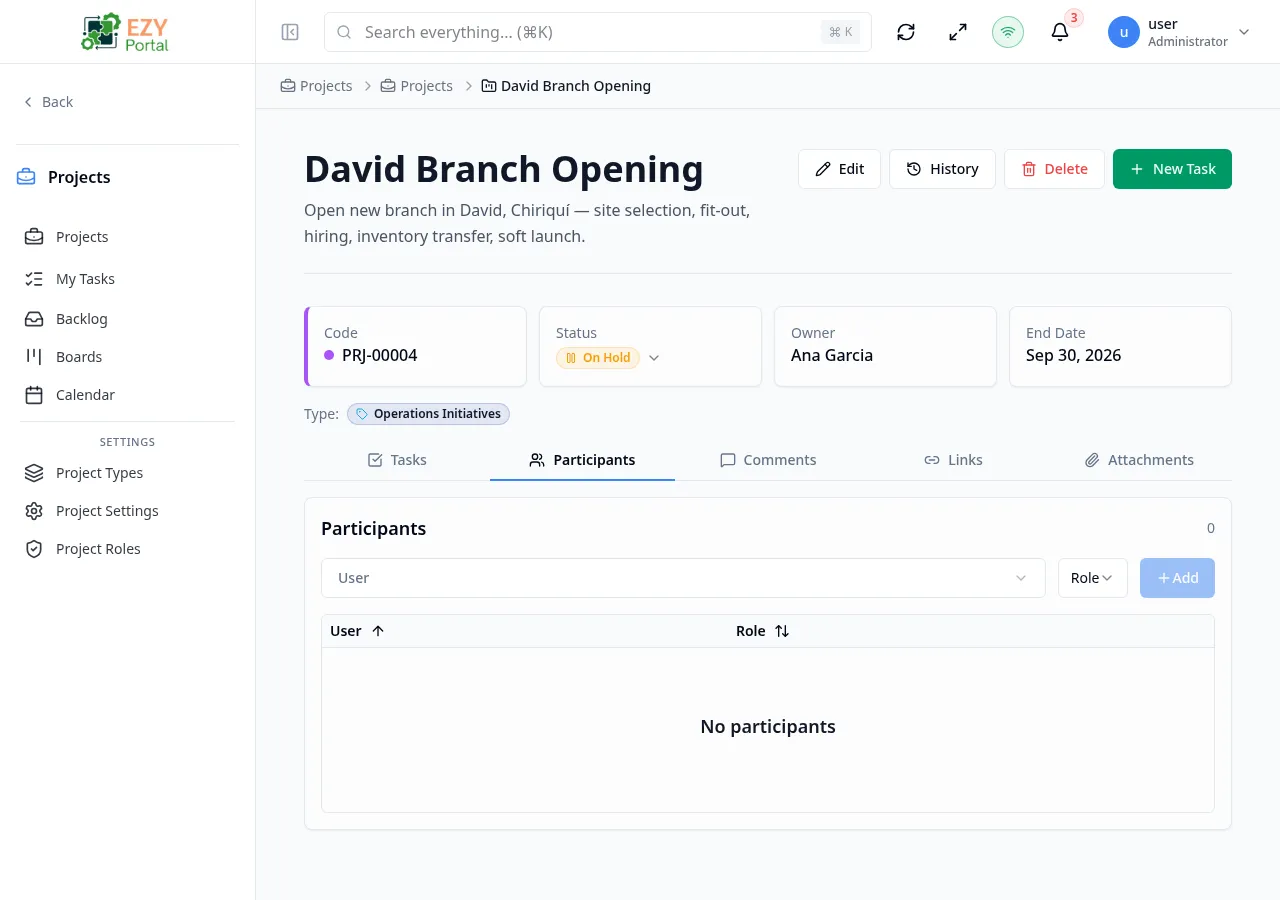
Accessing the Panel
Section titled “Accessing the Panel”Open Project Detail for any project. The Participants panel appears in the project’s settings or detail view when the Enable project participants setting is on.
Adding a Participant
Section titled “Adding a Participant”- In the Participants panel, select a user from the User selector.
- Select a role from the Role dropdown.
- Click Add.
The panel validates that:
- A user is selected.
- A role is selected.
- The selected user is not already a participant on this project.
If the user is already a participant, a warning appears and the Add button stays disabled.
Participant List
Section titled “Participant List”| Column | Sortable | Description |
|---|---|---|
| User | Yes | Display name of the participant |
| Role | Yes | Assigned role; can be changed inline |
| Actions | No | Remove button |
Click a column header to sort ascending; click again to sort descending.
Changing a Participant’s Role
Section titled “Changing a Participant’s Role”You can change an existing participant’s role without removing them. Click the role dropdown on the participant’s row and select a new role. The change is saved immediately.
Removing a Participant
Section titled “Removing a Participant”Click the remove button (trash icon) on a participant’s row. A confirmation dialog appears. Confirm to remove the participant from the project.
Blocked removal: If Require participants before activation is enabled and the project is Active, removing the last participant is blocked. The system returns the message “Project participants are required before activation.” To remove the last participant, first change the project status to Draft or On Hold.
Filtering Participants
Section titled “Filtering Participants”The panel includes local search and a role filter:
- Search — Filters by participant display name.
- Role filter — Shows only participants with the selected role; select “All” to clear.
Required Participants Warning
Section titled “Required Participants Warning”If the project has no participants and Require participants before activation is enabled, a warning banner appears in the panel: “This project requires at least one participant.” The project cannot be moved to Active until at least one participant is added.
Permissions
Section titled “Permissions”| Action | Required Permission |
|---|---|
| View participants | Read (projects.projects) |
| Add participant | Write (projects.projects) |
| Change role | Write (projects.projects) |
| Remove participant | Write (projects.projects) |
Users viewing a project in read-only mode see the participant list but cannot add, change, or remove participants.
Governance Rules
Section titled “Governance Rules”| Rule | Behavior |
|---|---|
| Activation requires participants | Moving a project from Draft to Active is blocked if Require participants before activation is on and no participants exist. |
| Last participant removal blocked | Removing the last participant from an Active project is blocked when the participant requirement is on. |
| Duplicate participant | Adding a user already on the project is blocked with a warning. |
| Invalid user | Adding a user who does not belong to the tenant is rejected. |
Related Pages
Section titled “Related Pages”- Project Roles — Manage the role labels used in this panel
- Project Governance Settings — Enable participants and configure activation requirements
- Project Detail — The page that hosts the Participants panel