Bank Accounts
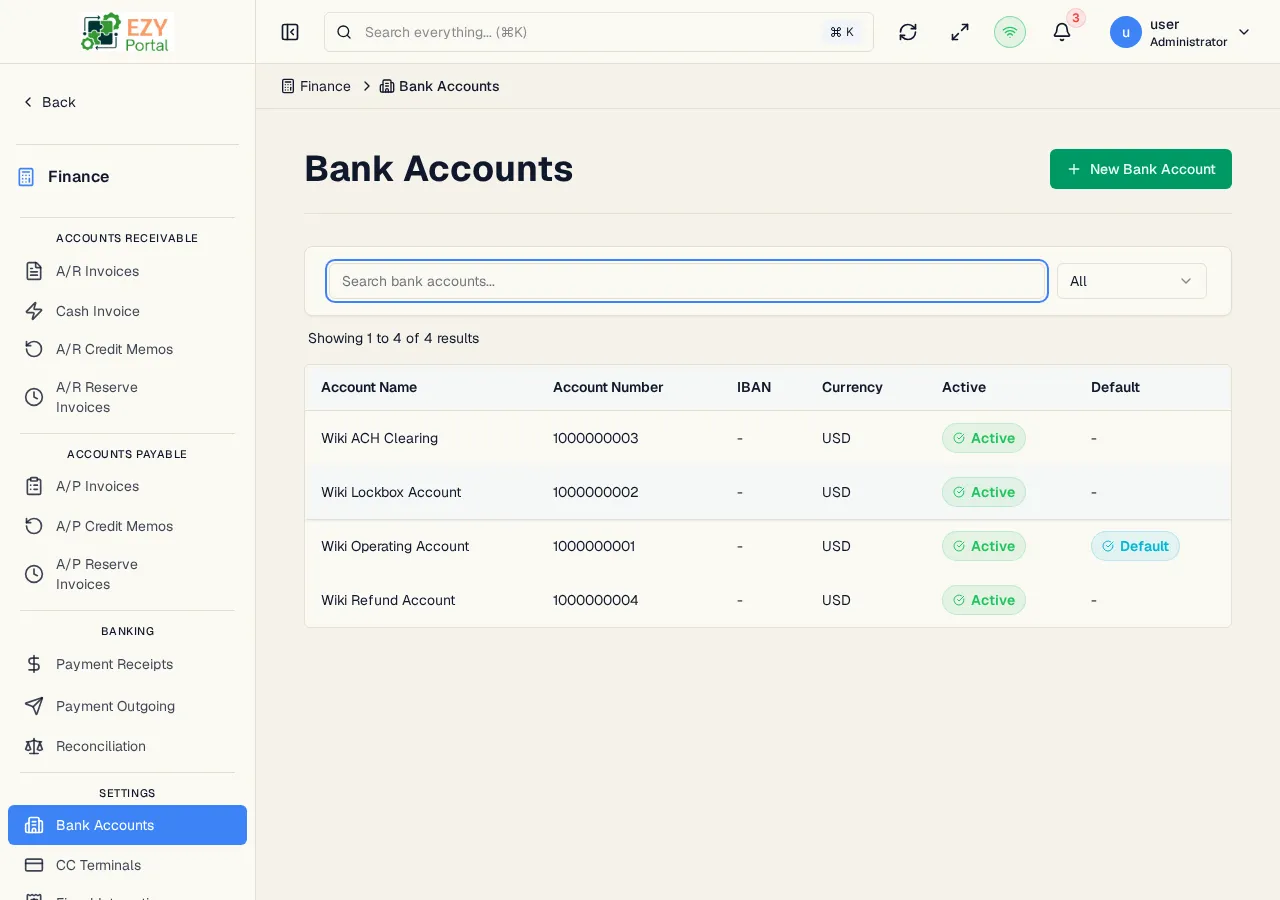
The Bank Accounts list displays all configured bank accounts in the system. Bank accounts are used as the destination for Bank Transfer payment lines on receipts and cash invoices.
Accessing the Page
Section titled “Accessing the Page”Navigate to Finance → Banking → Bank Accounts in the sidebar, or go to /finance/banking/accounts.
List Columns
Section titled “List Columns”| Column | Default Visible | Sortable | Description |
|---|---|---|---|
| Account Name | Yes | Yes | Display name of the bank account |
| Account Number | Yes | No | Bank account number |
| IBAN | Yes | No | IBAN number (if applicable) |
| Currency | Yes | Yes | Account currency |
| Active | Yes | Yes | Whether the account is available for use |
| Default | Yes | No | Whether this is the tenant’s default bank account |
Filtering
Section titled “Filtering”| Filter | Type | Description |
|---|---|---|
| Search | Free text | Searches by account name or number |
| Status | Select | All, Active, or Inactive |
Sorting
Section titled “Sorting”Click any sortable column to sort ascending, then descending. Default sort: Account Name ascending.
Pagination
Section titled “Pagination”Load More pattern with 20 records per page.
Actions
Section titled “Actions”Page Actions
Section titled “Page Actions”| Action | Description | Permission |
|---|---|---|
| New Bank Account | Navigate to the Create Bank Account form | Admin |
Row Actions
Section titled “Row Actions”| Action | Description | Permission |
|---|---|---|
| View | Navigate to the Bank Account Detail page | Any |
| Edit | Navigate to the Edit Bank Account form | Admin |
| Delete | Delete the bank account | Admin |
Deleting a Bank Account
Section titled “Deleting a Bank Account”- Click the row actions menu and select Delete
- A confirmation dialog warns that the action is permanent
- Click Delete to confirm
A bank account cannot be deleted if it is referenced by existing receipts. Deactivate the account instead by editing it and unchecking Active.
Common tasks
Section titled “Common tasks”- Open Bank Accounts from the sidebar.
- Click New Bank Account to add a bank account.
- Set the account as Default if it should pre-fill on new receipts.
Related Pages
Section titled “Related Pages”- Create Bank Account — Add a new bank account
- Bank Account Detail — View a bank account
- Edit Bank Account — Update a bank account
- Payment Receipts — Receipts that use bank accounts