Create Bank Account
Create a new bank account record to use as a destination for bank transfer payment lines on receipts and cash invoices.
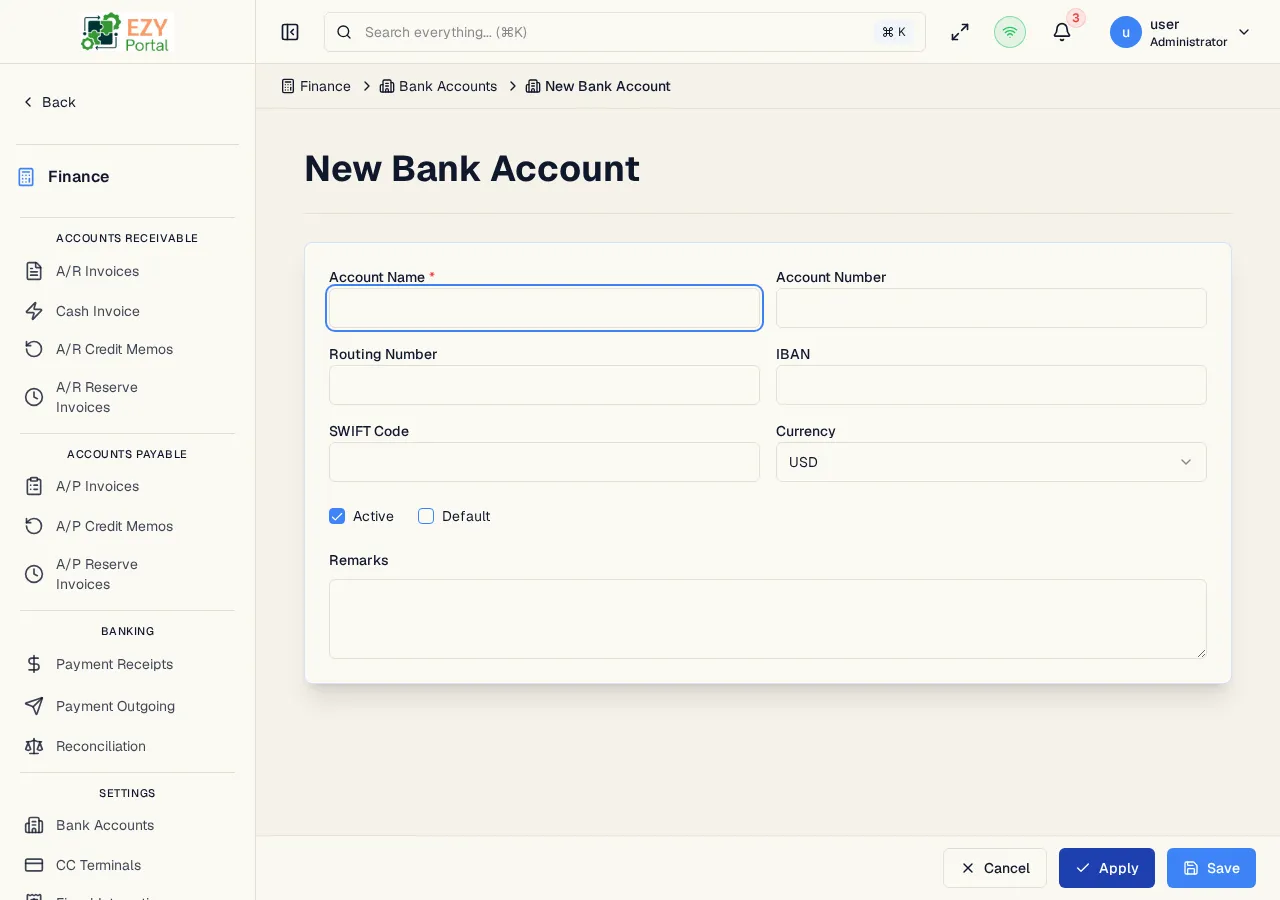
Accessing the Page
Section titled “Accessing the Page”From the Bank Accounts list, click New Bank Account, or navigate to /finance/banking/accounts/new.
Fields
Section titled “Fields”| Field | Required | Type | Description | Default | Validation |
|---|---|---|---|---|---|
| Account Name | Yes | Text | Display name for the bank account | — | Required; used to identify the account in payment lines |
| Account Number | No | Text | Bank account number | — | — |
| Routing Number | No | Text | ABA routing number (US) | — | — |
| IBAN | No | Text | International Bank Account Number | — | — |
| SWIFT Code | No | Text | SWIFT/BIC code for international transfers | — | — |
| Currency | Yes | Select | Account currency | USD | USD, EUR, GBP, ILS, or other enabled currencies |
| Active | No | Checkbox | Whether the account is available for use | Checked | — |
| Default | No | Checkbox | Mark as the tenant’s default bank account | Unchecked | — |
| Remarks | No | Textarea | Internal notes about the account | — | — |
Validation Rules
Section titled “Validation Rules”| Rule | Behavior |
|---|---|
| Account Name required | Cannot submit without an account name |
Post-save behavior
Section titled “Post-save behavior”After successful creation you are redirected to the Bank Account Detail page.
Common tasks
Section titled “Common tasks”- Open Bank Accounts from the sidebar and click New Bank Account.
- Enter the account name and relevant banking identifiers.
- Check Default if this should pre-fill on new receipts.
- Click Save to create the account.
Permissions & system behavior
Section titled “Permissions & system behavior”- Creating bank accounts requires Admin-level permission.
- Only one bank account can be the default at a time. Setting a new default clears the previous one.
Related Pages
Section titled “Related Pages”- Bank Accounts — List all bank accounts
- Bank Account Detail — View a bank account
- Edit Bank Account — Update a bank account