Bank Account Detail
View all information about a bank account including its banking identifiers, currency, active status, and default designation.
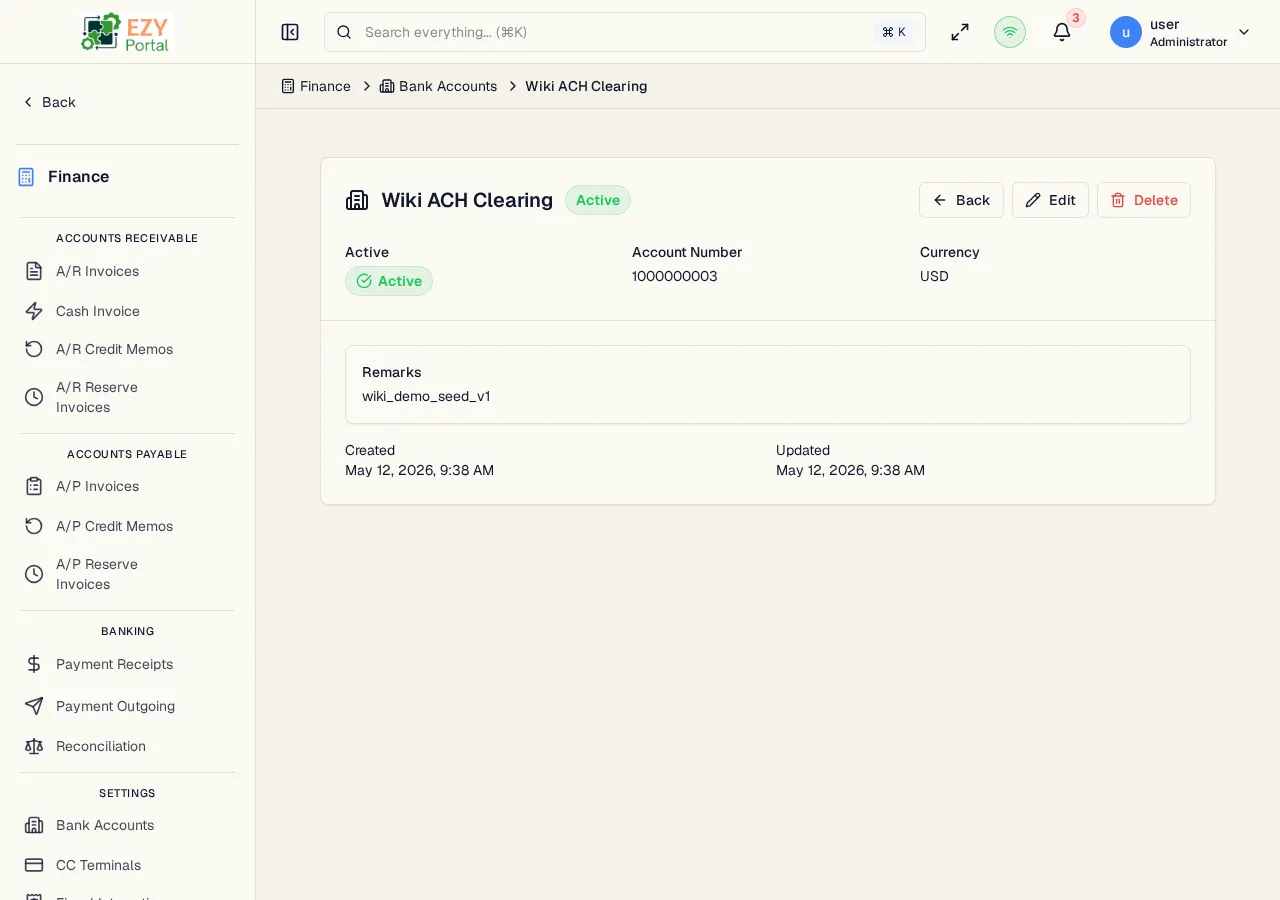
Accessing the Page
Section titled “Accessing the Page”From the Bank Accounts list, click any row, or navigate directly to /finance/banking/accounts/:id.
Header / Action Bar
Section titled “Header / Action Bar”| Button | Description | Permission |
|---|---|---|
| Back | Return to the Bank Accounts list | Any |
| Edit | Open the Edit Bank Account form | Admin |
| Delete | Delete the bank account | Admin |
Account Information
Section titled “Account Information”| Field | Description |
|---|---|
| Account Name | Display name for the bank account |
| Account Number | Bank account number |
| Routing Number | ABA routing number |
| IBAN | International Bank Account Number |
| SWIFT Code | SWIFT/BIC code |
| Currency | Account currency |
| Active | Whether the account is available for selection in payment lines |
| Default | Whether this is the tenant’s default bank account |
| Remarks | Internal notes |
Deleting a Bank Account
Section titled “Deleting a Bank Account”- Click Delete in the action bar
- Confirm in the dialog
A bank account cannot be deleted if it is referenced by existing receipts. Deactivate it by editing and unchecking Active instead.
Related Pages
Section titled “Related Pages”- Bank Accounts — List all bank accounts
- Create Bank Account — Add a new bank account
- Edit Bank Account — Update this bank account