Edit Deal
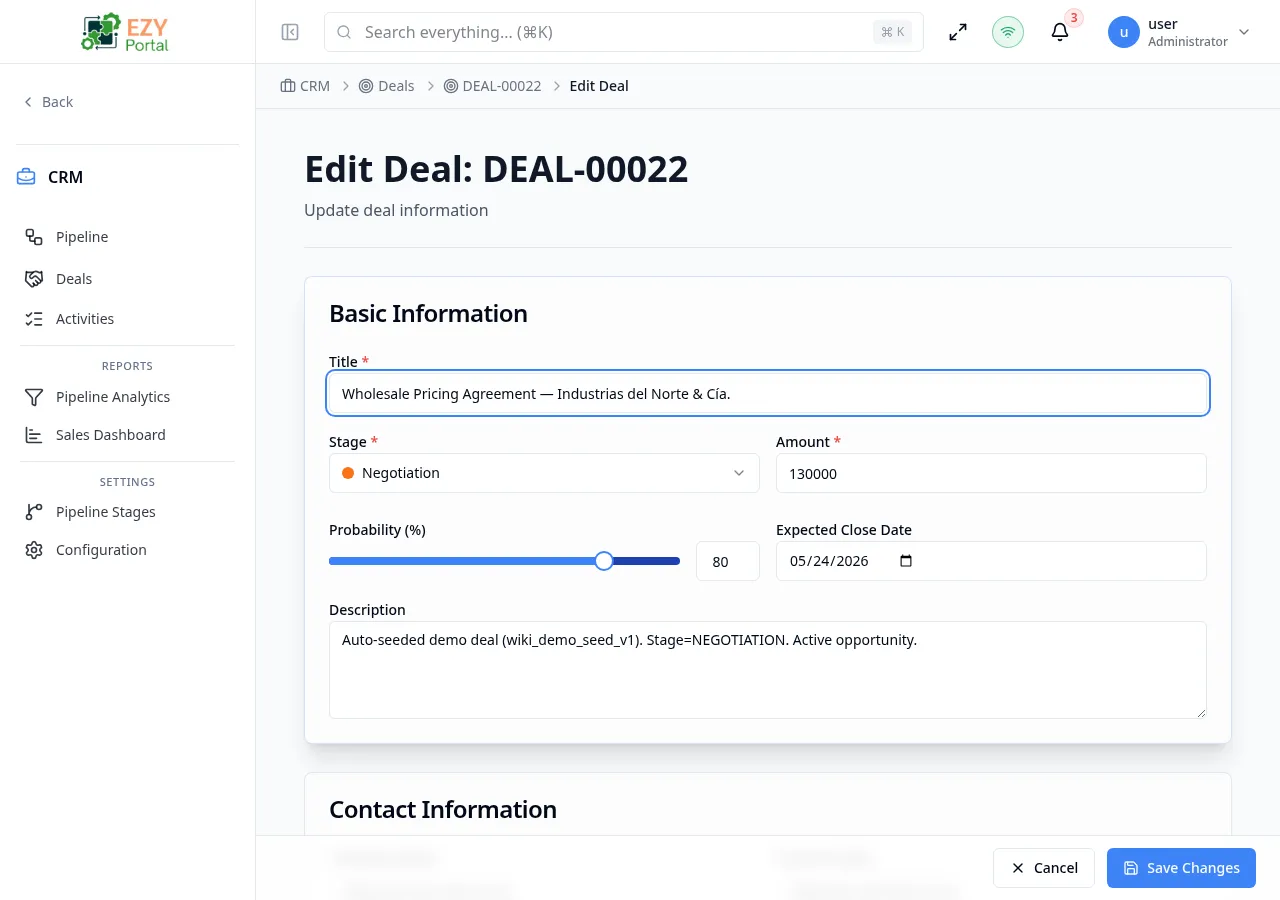
Update an existing deal record using the same form layout as creation, with a few differences: the Deal Source section is hidden (linked prospect or BP cannot be changed after creation), and a Contact Information section is always visible to let you update the contact details directly. After saving, the deal’s stage is also updated if it changed.
Accessing the Page
Section titled “Accessing the Page”From the Deal Detail page, click the Edit (pencil) button, or navigate directly to /deals/:id/edit.
Form Overview
Section titled “Form Overview”The edit form uses the same section structure as the Create Deal form. The Deal Source section does not appear in edit mode.
| Section | Description |
|---|---|
| Basic Information | Title, stage, amount, probability, expected close date, description |
| Contact Information | Company name, contact name, email, phone — always visible in edit mode |
| Additional Information | Source, campaign, tags, notes |
Basic Information
Section titled “Basic Information”| Field | Required | Type | Description | Default | Validation |
|---|---|---|---|---|---|
| Title | Yes | Text | Deal name | — | Max 200 chars |
| Stage | Yes | Select | Pipeline stage (non-closed stages only) | Current stage | Must select a non-closed stage |
| Amount | Yes | Number | Deal value | Current value | Must be 0 or greater |
| Probability | No | Slider + Number | Close probability percentage | Current value | 0–100 |
| Expected Close Date | No | Date | Target close date | Current value | — |
| Description | No | Textarea | Deal description | Current value | — |
Stage changes: If you select a different stage from the current one, the system issues a separate stage-move request after saving the other fields. Both operations succeed or fail independently.
Contact Information
Section titled “Contact Information”This section is always shown in edit mode.
| Field | Required | Type | Description | Default | Validation |
|---|---|---|---|---|---|
| Company Name | No | Text | Company or organization | Current value | — |
| Contact Name | No | Text | Contact person’s name | Current value | — |
| No | Contact email | Current value | Valid email if provided | ||
| Phone | No | Text | Contact phone | Current value | — |
Additional Information
Section titled “Additional Information”| Field | Required | Type | Description | Default | Validation |
|---|---|---|---|---|---|
| Source | No | Text | Lead source | Current value | — |
| Campaign | No | Text | Campaign name | Current value | — |
| Tags | No | Text | Comma-separated tags | Current value | Split on commas |
| Notes | No | Textarea | Internal notes | Current value | — |
Read-only behavior after creation
Section titled “Read-only behavior after creation”| Field | Read-only in edit mode |
|---|---|
| Deal Code | Yes — system-assigned, never editable |
| Prospect link | Yes — deal source cannot be changed after creation |
| Business Partner link | Yes — deal source cannot be changed after creation |
| Owner | Yes — assigned at creation |
Validation Rules
Section titled “Validation Rules”The edit form uses the same validation rules as the Create Deal form, with the following exception:
- Region enforcement applies only to Direct-source deals; prospect and BP links are already established.
Post-save behavior
Section titled “Post-save behavior”After a successful save:
- Field changes are applied to the deal.
- If the stage changed, the deal moves to the new stage (the pipeline position updates).
- You are redirected to the Deal Detail page.
An Unsaved Changes guard prevents accidental navigation. Clicking Cancel discards changes and returns to the Detail page.
Permissions and system behavior
Section titled “Permissions and system behavior”- Requires Edit Deal permission.
- Users outside the deal’s region scope see an Access Denied message.
- Users without edit permission see a disabled Edit button on the Detail page.
Common tasks
Section titled “Common tasks”- Open the deal’s Detail page and click Edit.
- Update the fields you need to change.
- Click Save Changes to apply. Click Cancel to discard.
Related Pages
Section titled “Related Pages”- Deal Detail — View deal after saving
- Deal List — Return to the list
- Create Deal — Create a new deal