General Settings Overview
General Settings centralizes the administrative pages used to configure a tenant and control who can access it. Use this section when setting up a new company, maintaining users, reviewing permission groups, or managing external account access. This sub-module is used primarily by tenant administrators.
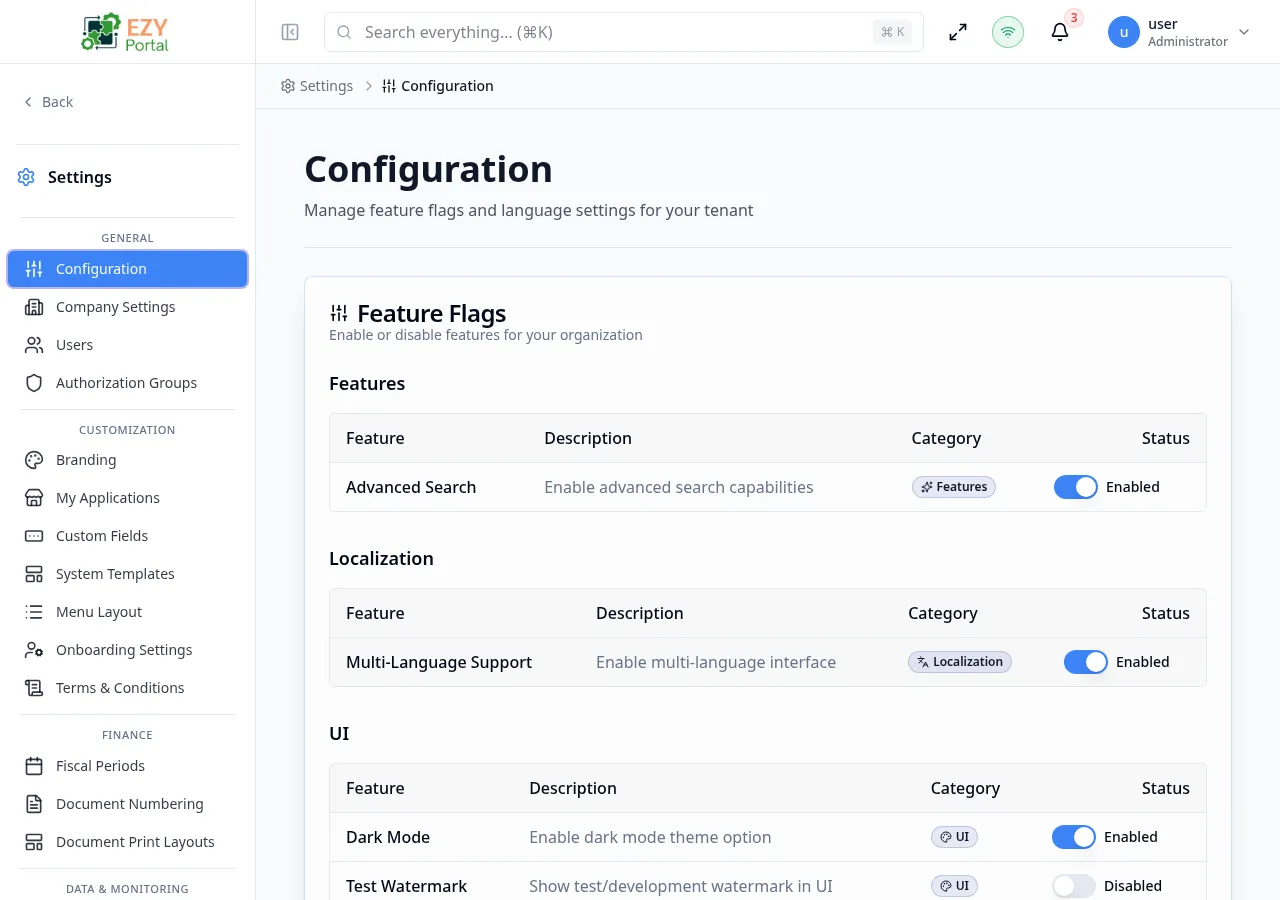
Accessing the Page
Section titled “Accessing the Page”- Menu Path: Settings → General
- Primary audience: Tenant administrators.
What you can do here
Section titled “What you can do here”- Set tenant-wide feature flags, languages, and MFA policy on the Configuration page.
- Define company identity, regional formats, fiscal defaults, and dashboard options in Company Settings.
- Create, invite, and manage tenant users, including role, license, and account assignments.
- Build reusable permission profiles with Authorization Groups and assign them to users or accounts.
- Register external accounts and configure portal access, invitations, and account-level administration.
Pages in this group
Section titled “Pages in this group”| Page | Purpose |
|---|---|
| Configuration | Feature flags, tenant languages, and MFA policy. |
| Company Settings | Company identity, regional formatting, fiscal defaults, and document preferences. |
| Users | Tenant user list, invitations, direct creation, role/license edits, and deactivation. |
| Authorization Groups | Reusable permission groups for tenant-wide or account-scoped access control. |
| Accounts | External account records, portal access, invitations, and account-level administration. |
Common tasks
Section titled “Common tasks”- Open Settings and expand the General group in the sidebar.
- Go to Configuration to enable tenant-wide capabilities and select available languages.
- Complete Company Settings before creating operational records to ensure formats and fiscal defaults are correct.
- Create or review Authorization Groups for the roles users will need.
- Add or invite users from Users, then assign the correct role, account, authorization group, and license.
- Settings visibility is role-based. A user sees only the pages allowed by their tenant role and account context.
- Account administrators use account-scoped screens where available, such as account authorization groups and account users.
- Hiding a menu entry does not replace permission management; keep authorization groups aligned with actual business access.