CC Terminal Detail
View all information about a credit card terminal including its provider, hardware identifier, commission rate, and active/default status.
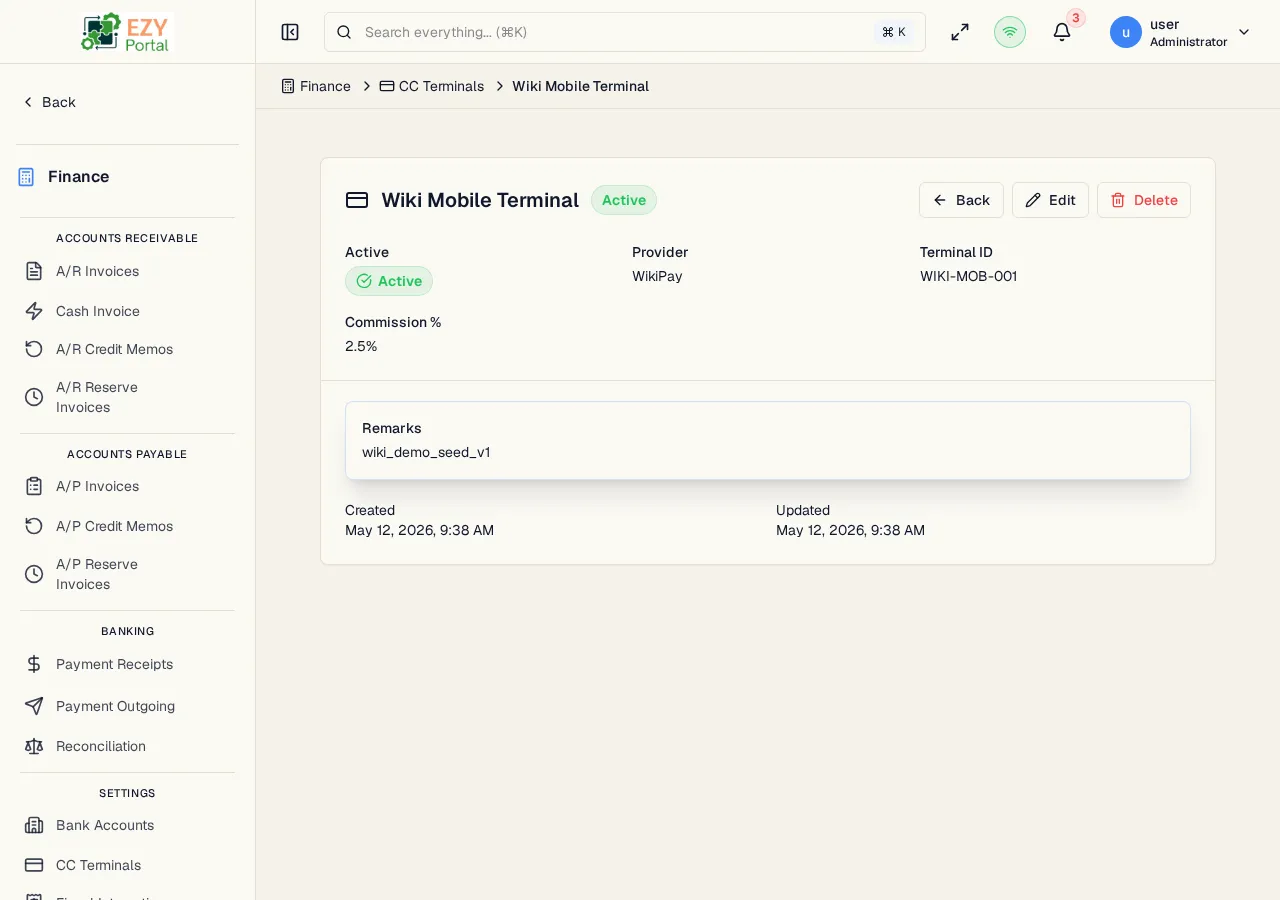
Accessing the Page
Section titled “Accessing the Page”From the CC Terminals list, click any row, or navigate directly to /finance/banking/cc-terminals/:id.
Header / Action Bar
Section titled “Header / Action Bar”| Button | Description | Permission |
|---|---|---|
| Back | Return to the CC Terminals list | Any |
| Edit | Open the Edit CC Terminal form | Admin |
| Delete | Delete the terminal | Admin |
Terminal Information
Section titled “Terminal Information”| Field | Description |
|---|---|
| Terminal Name | Display name for the terminal |
| Provider | Card processor or payment gateway |
| Terminal ID | Hardware terminal serial or gateway terminal ID |
| Commission % | Processing fee percentage per transaction |
| Active | Whether the terminal is available for selection in payment lines |
| Default | Whether this is the tenant’s default terminal |
| Remarks | Internal notes |
Deleting a CC Terminal
Section titled “Deleting a CC Terminal”- Click Delete in the action bar
- Confirm in the dialog
A terminal cannot be deleted if it is referenced by existing receipts. Deactivate it instead.
Related Pages
Section titled “Related Pages”- CC Terminals — List all terminals
- Create CC Terminal — Add a new terminal
- Edit CC Terminal — Update this terminal