Edit Sales Order
Update an existing sales order that is in Draft status. The edit form uses the same full-page document layout as the create form. Once a sales order is confirmed, the form is locked and line quantities and prices cannot be changed.
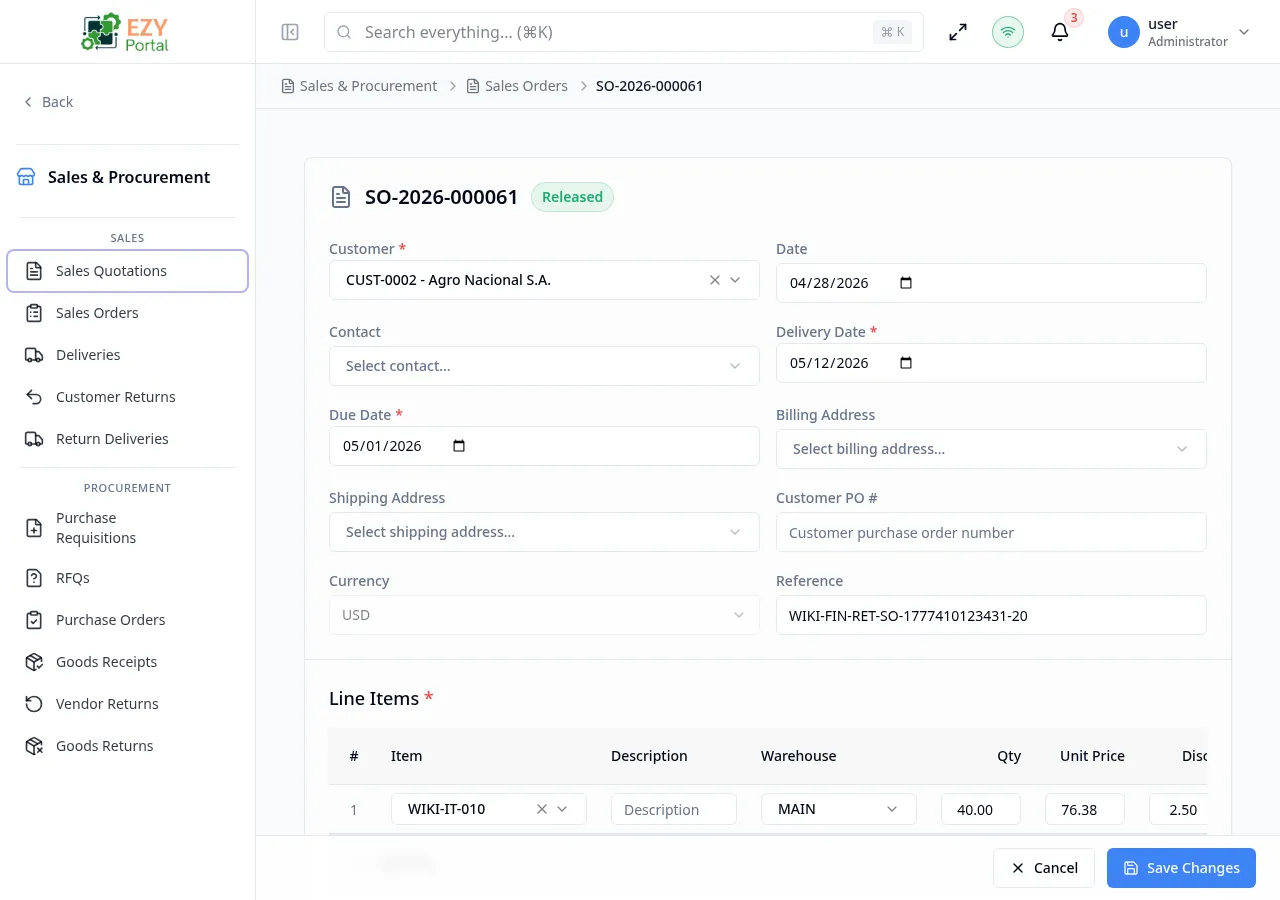
Accessing the Page
Section titled “Accessing the Page”From the Sales Order Detail page, click Edit, or navigate directly to /commerce/sales/orders/:id/edit. The Edit button only appears when the order is in Draft status.
Form Overview
Section titled “Form Overview”The edit form uses the same structure as the Create Sales Order form. All fields and line item columns are identical.
The following differences apply in edit mode:
- The document number is shown as a read-only reference in the header.
- The status badge shows Draft.
- The submit button is labeled Save Changes.
- Existing line items are pre-loaded and tracked by ID; deleting a saved line marks it for removal on submit.
- Version tracking detects concurrent edits.
The Document Number field is read-only after creation.
Document Header Fields
Section titled “Document Header Fields”Same fields as Create Sales Order.
Line Items
Section titled “Line Items”Same columns and behavior as Create Sales Order.
Deleting a previously saved line flags it for removal on submit. New lines are added as insertions.
Validation Rules
Section titled “Validation Rules”Same rules as Create Sales Order. Additionally:
| Rule | Behavior |
|---|---|
| Version conflict | If another user edited the document concurrently, a conflict error is shown; refresh and retry |
| Draft-only editing | If the order is not in Draft status, the edit route redirects to the detail page |
Post-save Behavior
Section titled “Post-save Behavior”After saving changes:
- The order is updated in-place.
- You are redirected to the Sales Order Detail page.
- A success notification confirms the update.
Common tasks
Section titled “Common tasks”- Open the Sales Order Detail page for a Draft order.
- Click Edit in the action bar.
- Modify fields or line items.
- Click Save Changes.
Permissions & system behavior
Section titled “Permissions & system behavior”- Editing requires the
canEditSalesOrderpermission. - Only Draft orders are editable.
Related Pages
Section titled “Related Pages”- Sales Orders — List all orders
- Create Sales Order — Create a new order
- Sales Order Detail — View and act on an order