LinkedIn Settings
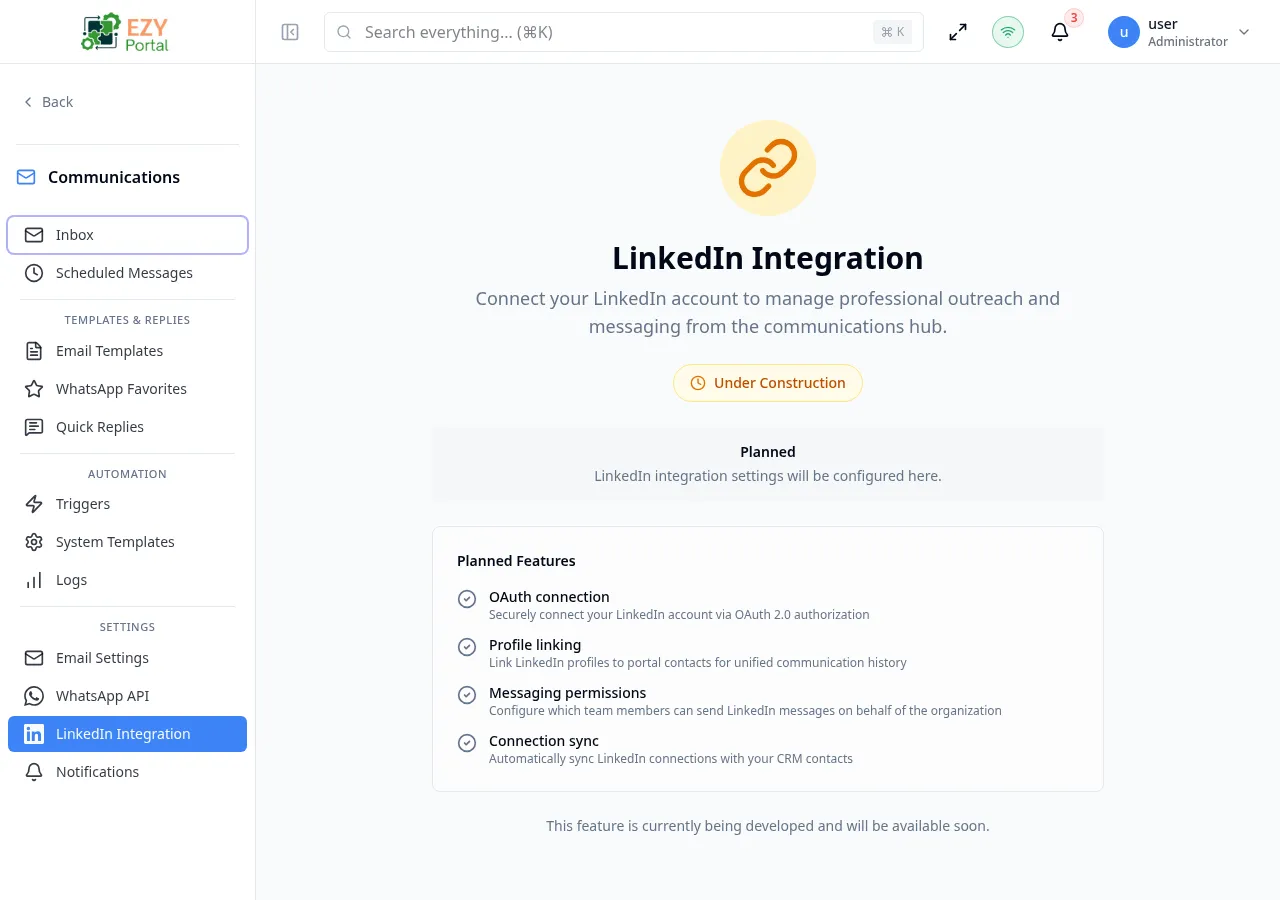
LinkedIn Settings is the configuration page for integrating your LinkedIn presence with the EZY Portal Communications module. Once connected, LinkedIn conversations appear in the unified Inbox alongside email and WhatsApp threads.
Accessing the Page
Section titled “Accessing the Page”- Route:
/communications/settings/linkedin - Menu Path: Communications → Settings → LinkedIn
- Primary audience: Tenant administrators.
- This page is currently DEV-gated and only visible in development environments.
- LinkedIn integration is in the Planned phase. The page currently shows a configuration placeholder.
Planned capabilities
Section titled “Planned capabilities”When available, this page will support:
- OAuth connection — securely connect your LinkedIn account via OAuth 2.0 authorization without storing your LinkedIn password.
- Profile linking — link LinkedIn profiles to portal contacts for unified communication history across channels.
- Messaging permissions — configure which team members can send LinkedIn messages on behalf of the organization.
- Connection sync — automatically sync LinkedIn connections with your CRM contacts.
Related Pages
Section titled “Related Pages”- WhatsApp Settings — configure WhatsApp Business accounts
- Email Settings — configure SMTP and IMAP email accounts
- Inbox — unified inbox for all communication channels