The Goods Receipts list shows all vendor goods receipt (GRPO) documents in the system. A Goods Receipt records the physical receipt of items shipped by a vendor against a confirmed Purchase Order. Confirming a Goods Receipt increments inventory in the receiving warehouse, increments the source PO line’s fulfilled quantity, and exposes the line to A/P document creation in finance.
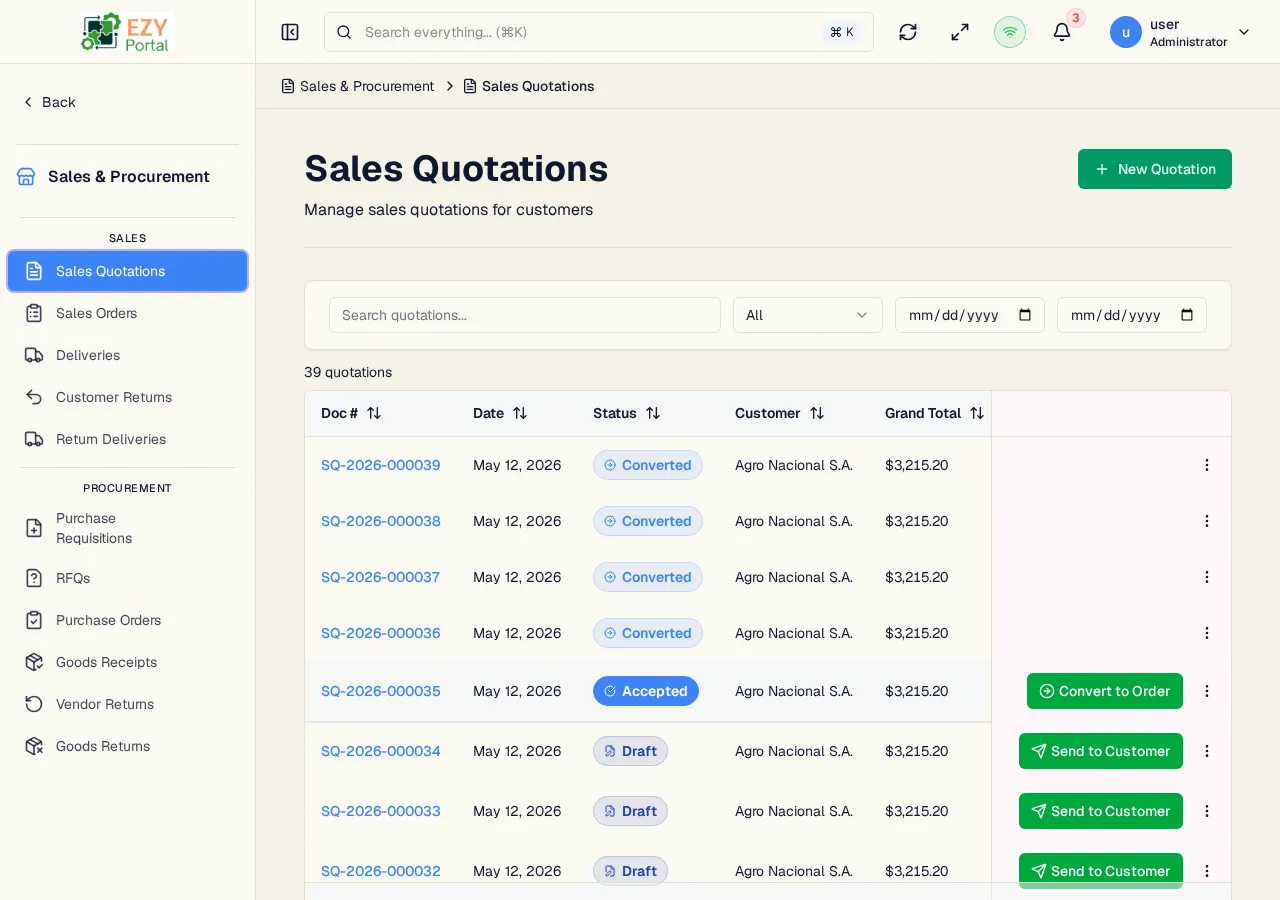
Navigate to Commerce → Procurement → Goods Receipts in the sidebar, or go to /commerce/procurement/goods-receipts.
- A Goods Receipt is always created from a confirmed Purchase Order. The PO is the canonical source — the receipt’s lines are locked to the PO line and the receivable quantity per line defaults to the PO line’s open quantity.
- Confirming a Goods Receipt is the moment inventory is recognized. The transition publishes
commerce.grpo.confirmed, which the inventory service consumes to increment stock; the source PO line’s Fulfilled Quantity is incremented at the same time.
- Only Draft Goods Receipts can be edited or deleted. Cancelling a Confirmed Goods Receipt requires a reason and reverses both the inventory movement and the PO fulfillment.
- Partial receipts are supported — receive a subset of the ordered quantity and create additional receipts later for the remainder.
- Browse all goods receipts with filtering by status and date range.
- Search by document number or vendor name.
- Create a new Goods Receipt from a confirmed Purchase Order.
- Confirm or cancel goods receipts.
- Download a PDF copy of a Goods Receipt.
- Open Commerce → Procurement → Goods Receipts from the sidebar.
- Click New from Purchase Order, pick a confirmed PO with open lines, and adjust receivable quantities per line.
- Confirm the Goods Receipt — inventory is posted and the source PO’s fulfilled quantity updates.
| Column | Default Visible | Sortable | Description |
|---|
| Doc # | Yes | Yes | System-generated GRPO number |
| Date | Yes | Yes | Document date |
| Status | Yes | Yes | Workflow status badge |
| Vendor | Yes | No | Business partner (vendor) name |
| Grand Total | Yes | Yes | Total amount including tax (currency-formatted) |
| Status | Description |
|---|
| Draft | Receipt is being prepared; editable and deletable |
| Confirmed | Receipt is posted; inventory is recognized and the PO line is fulfilled |
| Cancelled | Receipt was cancelled; inventory and PO fulfillment effects are reversed (reason required when cancelling from Confirmed) |
| Filter | Type | Description |
|---|
| Search | Free text | Searches across document number and vendor name |
| Status | Dropdown | Filter by status |
| Date From | Date | Show receipts with a document date on or after this date |
| Date To | Date | Show receipts with a document date on or before this date |
Click any sortable column header to sort ascending, then descending, then remove sort. Default sort: Created descending. The list uses a Load More pattern with 20 records per load.
| Action | Description | Permission |
|---|
| New from Purchase Order | Open a picker to select a confirmed PO with open lines; the receipt pre-fills with the PO header and per-line remaining quantities | Write |
| Action | Description | Permission |
|---|
| View | Open the Goods Receipt detail page | Read |
| Edit | Edit the receipt — Draft only | Write |
| Confirm | Transition Draft → Confirmed; inventory is posted | Write |
| Cancel | Transition Draft or Confirmed → Cancelled (Confirmed requires a reason) | Write |
| Download PDF | Download a PDF copy of the receipt | Read |
| Delete | Permanently delete — Draft only | Admin |
| Section | Field | Notes |
|---|
| Header | Vendor | Locked to the source PO’s vendor |
| Header | Document Date | Defaults to today |
| Header | Contact | From the BP’s contact list |
| Header | Vendor Ref # | Optional vendor-side reference |
| Header | Billing / Shipping Address | Pre-filled from the vendor |
| Lines | Item, Description | Locked to the PO line |
| Lines | Warehouse | Receiving warehouse for the line |
| Lines | Quantity | Defaults to the PO line’s open quantity; can be reduced |
| Lines | Unit Price, Discount %, Tax Category | Locked to the PO line |
| Lines | Batch Number, Serial Number, Notes | Set per line where applicable |
| Footer | Payment Terms, Price List | Locked to the PO |
| Footer | Received By | Employee who received the goods |
| Footer | Remarks | Free-text |
- Confirming a Goods Receipt publishes
commerce.grpo.confirmed, which the inventory service consumes to increment stock in the receiving warehouse, and increments the source PO line’s Fulfilled Quantity. The fulfillment API exposes the receipt’s open quantities so Finance can create A/P Invoices or A/P Reserve Invoices that draw down those quantities.
- Cancelling a Confirmed Goods Receipt reverses both the inventory movement and the PO fulfillment, and emits
commerce.grpo.cancelled. A reason is required.
- All state transitions are recorded in the document state transitions log and emit audit events.