The A/P Credit Memos list shows all accounts payable credit memo documents. An A/P Credit Memo is a vendor credit that reduces the amount you owe — typically issued when goods are returned to a vendor, when a vendor adjusts a previously invoiced amount, or to correct billing errors. Credit memos can be linked directly to an A/P Invoice or sourced from a Vendor Return / Goods Return in commerce.
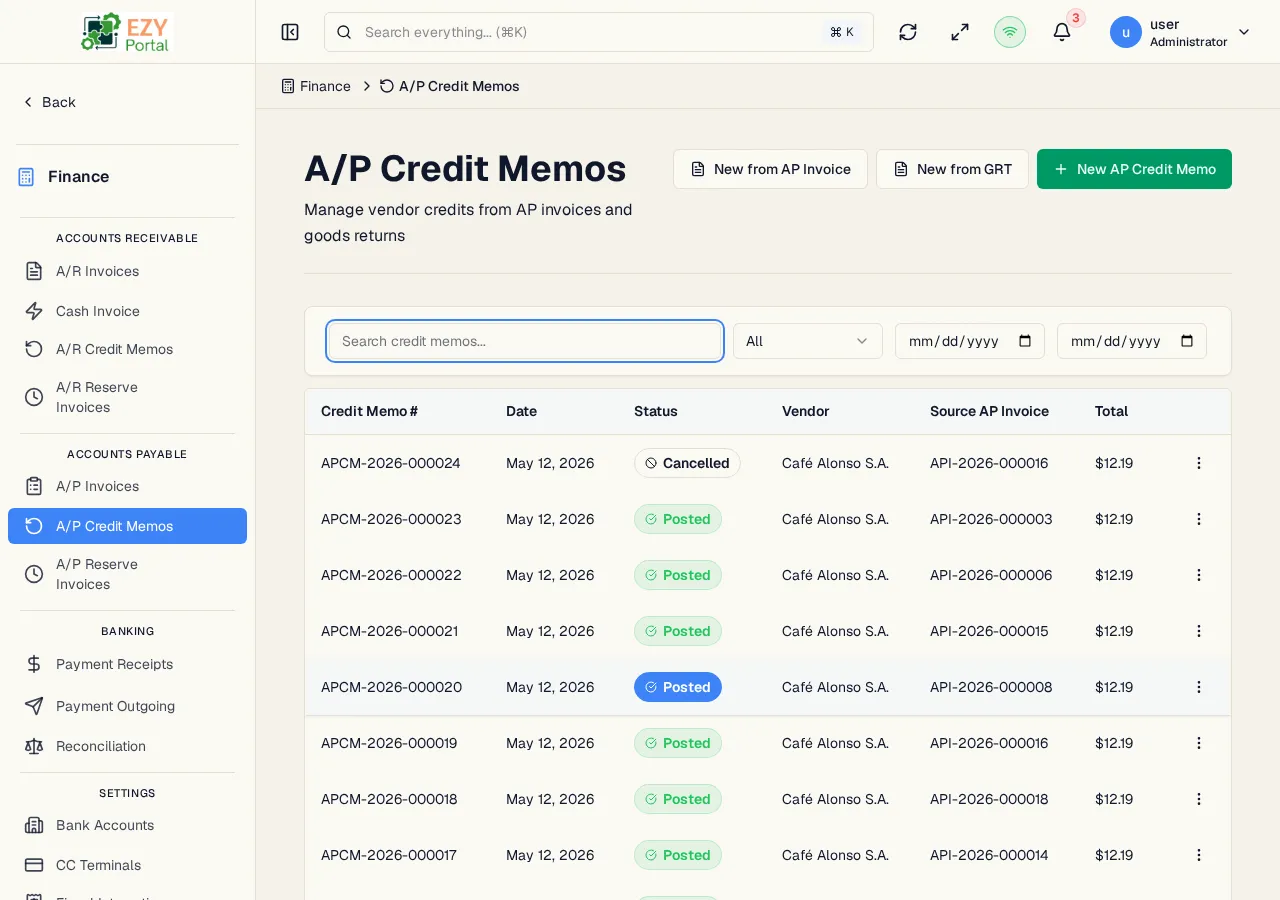
Navigate to Finance → Accounts Payable → A/P Credit Memos in the sidebar, or go to /finance/ap/credit-memos.
| Column | Default Visible | Sortable | Description |
|---|
| Doc # | Yes | Yes | System-assigned credit memo number |
| Date | Yes | Yes | Document date |
| Status | Yes | Yes | Status badge |
| Vendor | Yes | Yes | Business partner name |
| Source Invoice | Yes | No | Linked A/P Invoice, if any |
| Total | Yes | Yes | Grand total credit amount |
| Status | Description |
|---|
| Draft | Credit memo is being prepared; not yet posted |
| Posted | Credit memo is posted and applied (or available to apply) against A/P Invoices |
| Cancelled | Credit memo has been cancelled |
| Filter | Type | Description |
|---|
| Search | Free text | Searches by credit memo number or vendor name |
| Status | Select | Filter by status |
| Date From / To | Date | Document-date range |
Default sort: Created date descending. Load More pattern with 20 records per load.
| Action | Description | Permission |
|---|
| New from Invoice | Open an invoice picker to select a posted A/P Invoice and pre-fill the credit memo from its lines | canCreateAPCreditMemo |
| New from Vendor Return | Create a credit memo from a confirmed Vendor Return | canCreateAPCreditMemo |
| New from Goods Return | Create a credit memo from a confirmed Goods Return | canCreateAPCreditMemo |
| New Credit Memo | Open the standalone create form | canCreateAPCreditMemo |
| Action | Description | Permission |
|---|
| View | Open the A/P Credit Memo detail page | Any |
| Edit | Edit a Draft credit memo | canEditAPCreditMemo |
| Post | Transition Draft → Posted | canEditAPCreditMemo |
| Cancel | Cancel the credit memo | canEditAPCreditMemo |
| Duplicate | Create a new Draft copy | canCreateAPCreditMemo |
| Delete | Permanently delete — Draft only | canDeleteAPCreditMemo |
- Header — Document Number, Date, Reference, Remarks.
- Parties — Vendor, Contact, Billing Address, Shipping Address.
- Commercial — Currency, Price List.
- Lines — Item, Description, Quantity, Unit Price, Discount, Tax Category, Tax Amount, Line Total.
- Totals — Subtotal, Tax, Grand Total.
- Source Document — When created from a Vendor Return or Goods Return, the source type / number / link are displayed.
- Linked Invoice — When linked to a specific A/P Invoice, the invoice number, link, and Applied to Invoice Amount are shown.
- Stocked-item credit memos must originate from a Vendor Return or Goods Return before posting.
- An A/P Credit Memo can either reduce the balance on a linked A/P Invoice or stand alone as an open credit available to apply against future invoices via vendor payment applications.
- A/P Credit Memos created from a Vendor Return or Goods Return show a source-document badge on the detail page linking back to the commerce document.
- Only Draft credit memos can be deleted. Posted credit memos must be cancelled.
- A vendor payment application can apply payment funds against an open A/P Credit Memo (target type
AP_CREDIT_MEMO) — this resolves the credit against a payable balance.
- Open the page from the sidebar under Finance → Accounts Payable.
- Click New from Invoice to issue a credit against a specific posted A/P Invoice, or New from Vendor Return to source from a commerce return.
- Post the credit memo to make it available for application.