Create Vendor Return
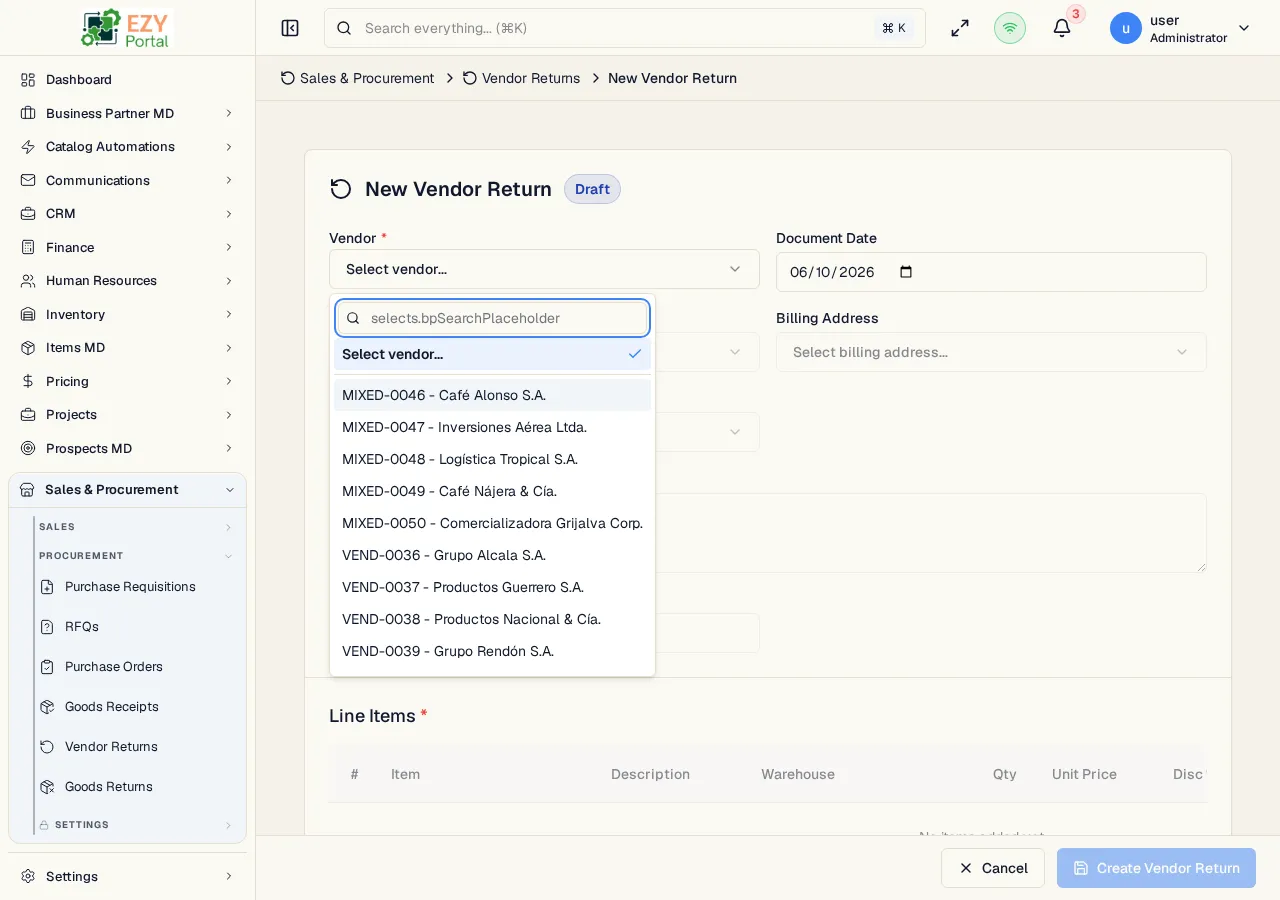
The Create Vendor Return page creates a return authorization in Draft status. It uses the full-page procurement document editor with a vendor header, return reason, source-line picker, editable quantities, stock availability indicators, pricing, tax, and totals.
Accessing the Page
Section titled “Accessing the Page”From Vendor Returns, click New from Goods Receipt, or navigate directly to /commerce/procurement/vendor-returns/new.
| Source | Route | Result |
|---|---|---|
| Confirmed Goods Receipt | /commerce/procurement/vendor-returns/from-receipt/:receiptId | Opens the source line picker with returnable receipt quantities |
Form Sections
Section titled “Form Sections”| Section | Description |
|---|---|
| Header | Vendor, document date, contact, billing/shipping addresses, return reason, and reference |
| Lines | Items, source warehouse, quantity, unit price, discount, tax category, stock indicators, and line total |
| Footer | Payment terms, price list, remarks, and totals |
Source Line Rules
Section titled “Source Line Rules”- Source-created returns copy vendor, currency, contact, addresses, payment terms, and price list from the source receipt.
- Selected source lines retain receipt line IDs and remaining returnable quantities.
- A source-created line cannot be saved with a quantity above the remaining returnable quantity.
- Stock-tracked lines show shipment-mode availability indicators.
Save Behavior
Section titled “Save Behavior”| Action | Result |
|---|---|
| Create | Saves a Draft Vendor Return and redirects to Vendor Return Detail |
| Cancel | Returns to the Vendor Returns list |
Related Pages
Section titled “Related Pages”- Vendor Returns — List and workflow reference
- Vendor Return Detail — Confirm, cancel, duplicate, or create a Goods Return
- Edit Vendor Return — Update a Draft Vendor Return
- Goods Receipts — Source receipts