Create A/P Invoice
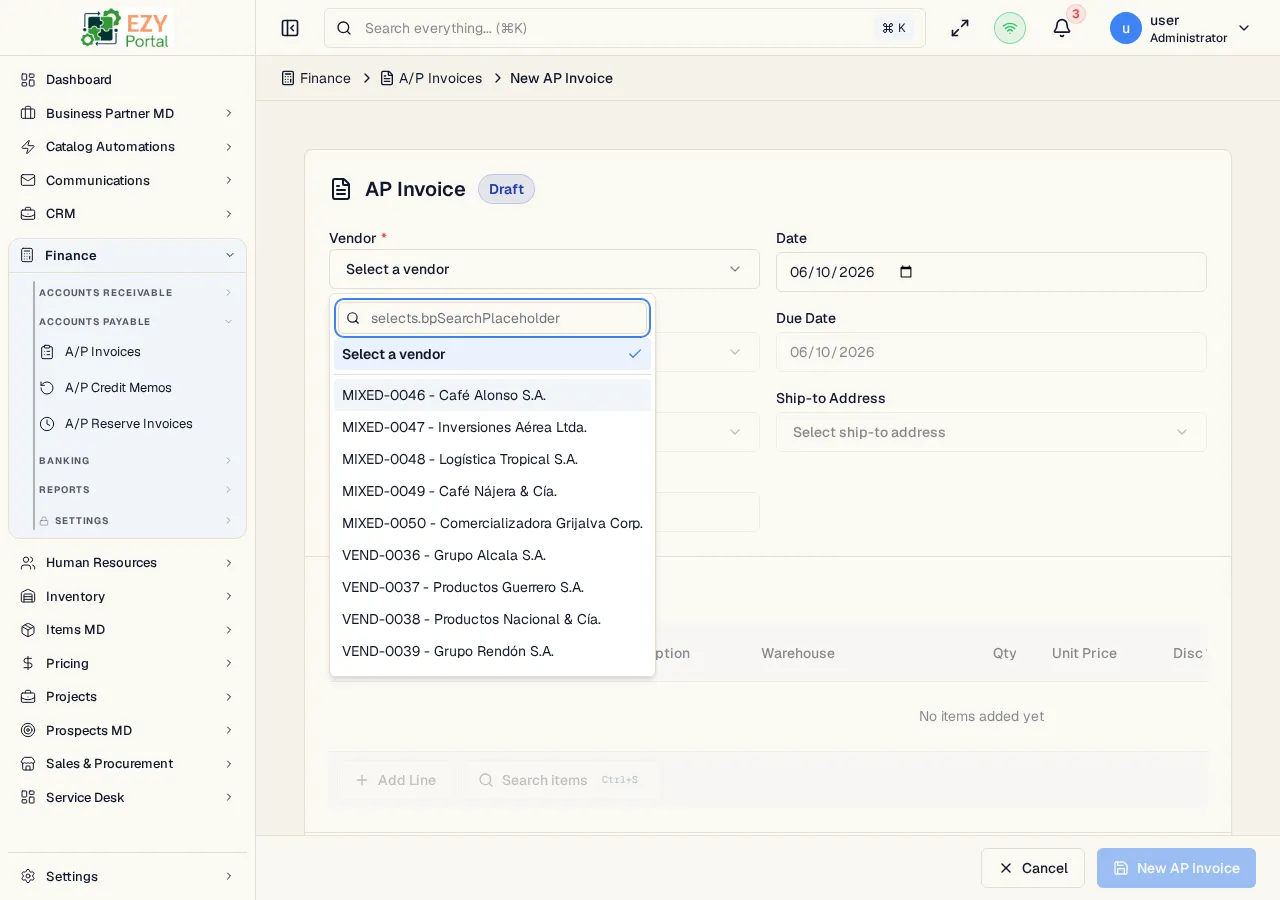
Create an A/P Invoice to record a vendor bill. The form supports standalone vendor invoices and copy-from-commerce creation from a confirmed Goods Receipt.
Accessing the Page
Section titled “Accessing the Page”From A/P Invoices, click New Invoice, or navigate directly to /finance/ap/invoices/new. The legacy alias /finance/ap/invoices/create opens the same form.
To create from a Goods Receipt, use the list page’s New from Goods Receipt action. The portal opens a source picker, loads the receipt, and prompts for invoiceable lines and quantities.
Form Areas
Section titled “Form Areas”| Area | Description |
|---|---|
| Header | Vendor, document date, due date, contact, billing / shipping addresses, currency, reference |
| Lines | Items, quantities, warehouses, tax categories, prices, discounts, and notes |
| Footer | Payment terms, price list, remarks, and document totals |
Validation Rules
Section titled “Validation Rules”| Rule | Behavior |
|---|---|
| Vendor required | The invoice cannot be saved without an active vendor BP |
| Payment terms required | Required before submit |
| Price list required | Required before submit |
| At least one line | Empty invoices cannot be submitted |
| Line quantity | Each line quantity must be greater than zero |
| Tax category and warehouse | Required per line |
| Source quantity | When created from Goods Receipt, selected quantities cannot exceed remaining invoiceable quantity |
Source Flow
Section titled “Source Flow”When launched with /finance/ap/invoices/new?fromCommerce=...&docId=..., the form locks the vendor and currency from the source document, copies payment terms, price list, contact, addresses, reference, and remarks, and opens a line picker. Confirming the picker creates the invoice and preserves source-line tracking.
Related Pages
Section titled “Related Pages”- A/P Invoices — List and workflow reference
- A/P Invoice Detail — View, post, pay, or credit an invoice
- Edit A/P Invoice — Update a Draft invoice
- Goods Receipts — Commerce source documents